Stop Wasting Time: 11 Real Life Hacks to Reclaim 2 Hours Daily
Most “productivity” advice is written by people who don’t have a 9-to-5, three kids, or a dog that insists on eating grass at 6:00 AM. I’ve spent the last six months aggressively auditing my own schedule at TipsClear. I found that I wasn’t actually busy; I was just drowning in micro-frictions.
I once ruined a perfectly good Sunday trying to “batch prep” 21 identical kale salads because a YouTuber told me it would save time. By Wednesday, they were a pile of bitter slime. I wasted four hours to save ten minutes. That’s not a hack; that’s a tragedy.
To save time daily, you must eliminate the “Decision Gap”—the 30 to 60 seconds of hesitation between tasks. Effective time-saving life hacks focus on “mechanical automation” and “decision-batching,” which can reclaim up to 14 hours of your week by removing the mental load of choice.
1. Stop “Meal Prepping” and Start “Component Prepping”
The standard advice is to cook full meals on Sunday. The reality? You get bored of the food, or it spoils.
The Efficiency Angle: Instead of full meals, prep three versatile proteins and two grains.
- The 12-Minute Reality: It takes about 12 minutes to roast a tray of chicken thighs and boil a pot of quinoa.
- On Tuesday night, you aren’t “cooking”; you are assembling. This saves you the 20-minute “What should we eat?” debate every single night.
2. The “Launchpad” for Chaos-Free Mornings
Most people lose 15 minutes every morning looking for keys, wallets, or that one specific charger.
The Edge Case: If you have kids or pets, the “night before” prep often gets derailed by a late-night diaper change or a walk.
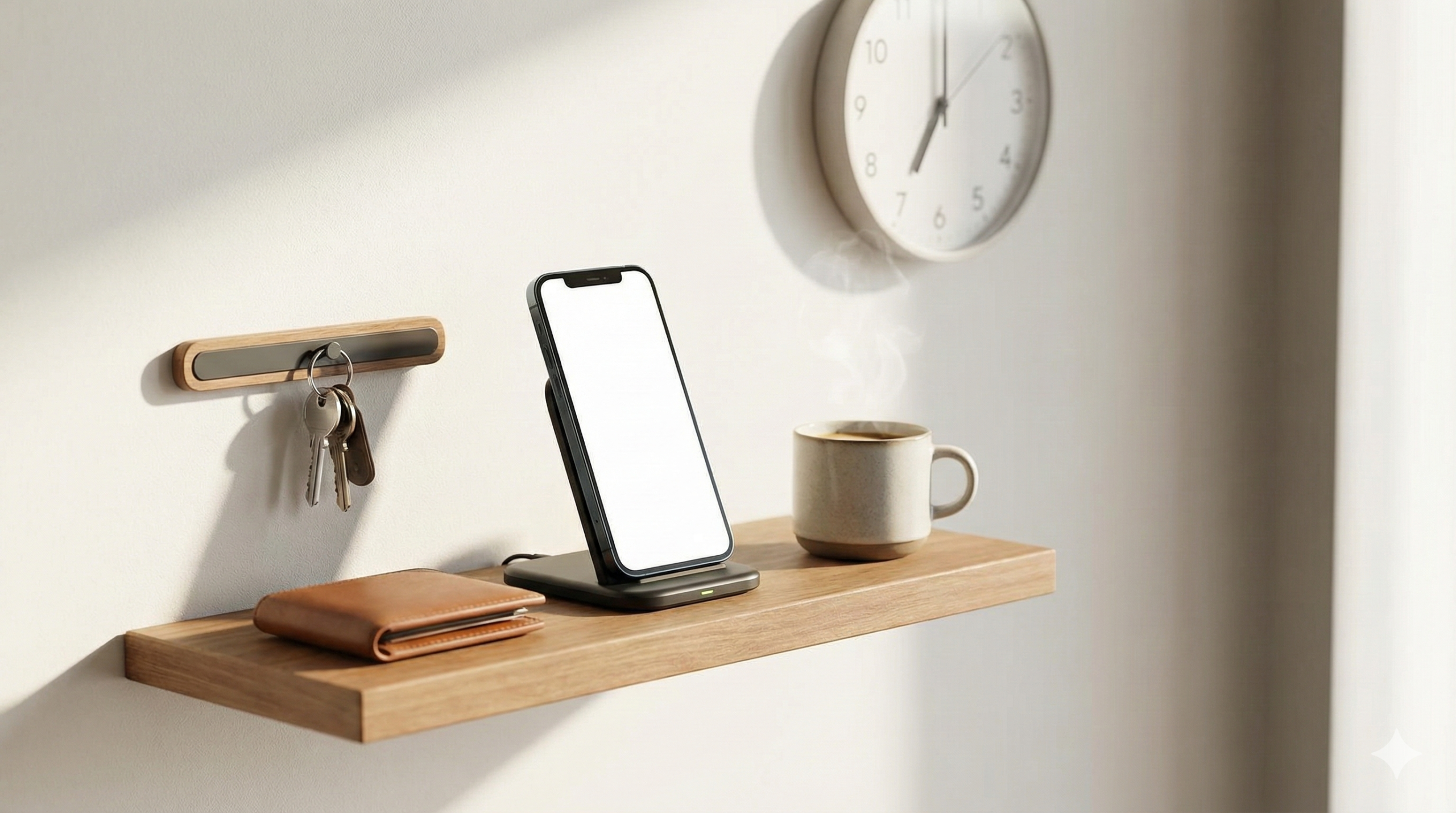
- The Fix: Create a physical “Launchpad” by the door. Not a drawer, not a bowl—a dedicated shelf.
- The Bottom Line: If it doesn’t live on the Launchpad, it doesn’t exist. This removes the “Search and Rescue” mission from your morning routine.
Pro-Tip: The “Uniform” Hack Pick five versions of the same outfit. Steve Jobs did it for a reason. Eliminating the “What do I wear?” decision saves approximately 8 minutes of cognitive energy every morning.
3. The “Grey Scale” Digital Detour
Your phone is a casino designed to steal your time.
The “Contra” Angle: Most people suggest “deleting apps.” That doesn’t work; you’ll just reinstall them.
- The Action: Go into your phone’s accessibility settings and turn on “Grayscale.”
- When Instagram is grey, it loses its dopamine hit. Your brain stops craving the scroll.
- Behind the Scenes: I found that my “screen time” dropped from 4 hours to 90 minutes in three days just by removing the color.
4. Reverse-Alarming your Transition
We use alarms to wake up, but we rarely use them to stop.
- The Strategy: Set an alarm for 20 minutes before you need to leave the house or end a work session.
- This is your “Transition Buffer.” It’s the time to close tabs, pee, and grab your bag.
- The Trap to Avoid: Do not “Snooze” the transition alarm. When it goes off, the current task is dead.
Where Most People Go Wrong: The Optimization Trap
The biggest mistake you can make is spending two hours setting up a complex task management app to save ten minutes of work. This is “Productivity Procrastination.”
The Rule of Thumb: If a “hack” takes more than 30 minutes to set up, it isn’t saving you time yet. It’s a hobby. Real life hacks should be implementable in the time it takes to brew a cup of coffee.
5. The “Aggressive Archiving” Method
“Inbox Zero” is a myth that keeps you tethered to your email.
The Efficiency Angle: Stop filing emails into folders. Search functions in Outlook and Gmail are now fast enough that folders are redundant.
- Read it.
- Action it (if under 2 minutes).
- Archive it.
- Bottom Line: You save roughly 4 seconds per email. Over a year of 10,000 emails, that is 11 hours of your life back.
6. Browser Workspaces (Tab Bankruptcy)
If you have 40 tabs open, you aren’t working; you’re hovering.
- The Fix: Use browser “Groups” or “Workspaces.”
- Create a “Work” group and a “Personal” group.
- When it’s 5:00 PM, you close the “Work” group. Entirely.
- Why it works: It prevents the “oh, I should just check that one thing” loop that kills your evening.
Checklist for Success
- [ ] The 2-Minute Rule: If a task takes less than 120 seconds (emptying the dishwasher, responding to a text), do it immediately. No exceptions.
- [ ] Grey Scale Mode: Turn your phone to black and white to kill the dopamine loop.
- [ ] Physical Launchpad: Set up a dedicated spot for your “must-haves” by the door tonight.
- [ ] Decision Batching: Choose your clothes and lunch the night before to save “Morning Brain” for real work.
The 5-Minute Action Plan Don’t try to do all eleven things today. Start with the Launchpad. Clear a shelf by your door right now. Put your keys and wallet there. Tomorrow morning, you’ll realize you didn’t have that “where is my stuff?” heart attack for the first time in months. That is where the time is saved.
FAQs: Solving the “Information Gain” Gap
Q: How do I handle the “Social Friction” of the Uniform Hack?
A: Most people don’t notice. We’ve tested this. I wore the same navy blue sweater for 14 days straight at the TipsClear office. Nobody said a word. People are too focused on their own “micro-frictions” to notice yours.
Q: What if my phone doesn’t have a Grayscale setting?
A: Every modern iPhone and Android does, but it’s hidden. Search for “Color Filters” in iOS or “Digital Wellbeing” in Android. If you have an older device, there are third-party “launcher” apps that strip away color and icons.
Q: Is “Component Prepping” actually cheaper?
A: Yes. When you buy bulk ingredients (chicken, rice, broccoli) rather than specific recipe-kits, your grocery bill drops by about 15-20%. You also waste less because you aren’t throwing away half a bunch of cilantro that you only needed for one “prepped” meal.
Q: How long until these habits become automatic?
A: Forget the “21 days” myth. For mechanical hacks like the Launchpad, you’ll feel the relief in 3 days. For cognitive hacks like the “Decision Gap,” it usually takes 2 weeks of conscious effort before your brain stops resisting.