Who Needs This Service?
Students from economically weaker sections, minority communities, SC/ST/OBC categories, differently-abled students, and meritorious students studying in Class 1 to post-graduation in recognized Indian institutions can apply for government scholarships. Students must be Indian citizens with family income typically below ₹2.5 lakh to ₹8 lakh per annum (varies by scheme) and should have passed previous qualifying exams with minimum required percentage (usually 50-60%).
Required Documents
Before starting your scholarship application, keep these documents ready in scanned format (PDF/JPG, size less than 200-400 KB):
- Aadhaar Card (mandatory for most scholarships)
- Bank account passbook (first page showing account number, IFSC, student’s name)
- Income certificate (issued by Tehsildar/SDM, valid for current financial year)
- Caste certificate (for SC/ST/OBC scholarships, issued by competent authority)
- Previous year’s marksheet and passing certificate
- Current year’s admission receipt/fee receipt with institution stamp
- Disability certificate (if applying under disabled quota, issued by medical board)
- Domicile certificate (for state-specific scholarships)
- Self-attested photograph (passport size, JPG format, 10-50 KB)
- Minority community certificate (for minority scholarships)
- Enrollment/registration number from current institution
Online Application Process
Step 1: Access the National Scholarship Portal
Go to the official National Scholarship Portal: https://scholarships.gov.in
The NSP is the single-window platform for Central and State government scholarships. Most major scholarships including Pre-Matric, Post-Matric, Merit-cum-Means, and Minority scholarships are processed here.
Step 2: New Registration
- On the homepage, click on “New Registration” button (usually available during scholarship application period, typically July-November)
- Select your scholarship category: Pre-Matric (Class 1-10), Post-Matric (Class 11-12), Post-Matric (Higher Education for diploma/degree)
- Read all instructions carefully on the guidelines page
- Click “Continue” to proceed
Step 3: Fill Registration Form
- Enter your State of Domicile from dropdown menu
- Select your Scholarship Category (SC/ST/OBC/Minority/General)
- Select specific Scheme Name from available options
- Enter your Name (exactly as per Class 10 certificate)
- Enter Date of Birth (as per Class 10 certificate)
- Select Gender
- Enter Mobile Number (10 digits, should be active for OTP)
- Enter Email ID (active email for communication)
- Enter Bank Account Number and re-enter to confirm
- Enter Bank IFSC Code (11 characters, example: SBIN0001234)
- Enter captcha code shown
- Click “Submit”
Step 4: OTP Verification
- OTP will be sent to registered mobile number
- Enter the OTP within 10 minutes
- After successful verification, your Application ID and Password will be displayed
- CRITICAL: Take screenshot or write down Application ID and Password immediately
- You’ll receive confirmation SMS and email with login credentials
Step 5: Login and Complete Application
- Return to homepage and click “Login”
- Enter your Application ID and Password
- Enter captcha and click “Submit”
Step 6: Fill Application Form Sections
The application form has multiple sections. Fill each carefully:
Personal Details Section:
- Verify pre-filled name, DOB, gender
- Enter father’s name, mother’s name (as per certificates)
- Enter complete permanent address with PIN code
- Select district and block/tehsil from dropdown
Category & Religion:
- Select your category (SC/ST/OBC/General/Minority)
- Upload caste certificate (if applicable)
- For OBC, ensure certificate mentions “non-creamy layer”
Contact Details:
- Verify mobile and email
- Enter alternate contact number
Aadhaar Details:
- Enter 12-digit Aadhaar number
- Enter Aadhaar enrolment ID if Aadhaar not available
- Upload Aadhaar card PDF
Income Details:
- Enter father’s annual income
- Enter mother’s annual income
- Enter total family annual income
- Upload income certificate (current financial year only)
Education Details:
- Select current course level (Class 11-12/Diploma/UG/PG)
- Enter course name, admission year, duration
- Select institution state and district
- Enter institution name (select from dropdown or type if not listed)
- Enter enrollment/registration number
- Enter previous exam details (board/university, passing year, percentage)
- Upload previous year marksheet and passing certificate
Bank Details:
- Verify bank account number and IFSC
- Upload bank passbook first page (showing student name)
- IMPORTANT: Account must be in student’s name only (not joint account)
Step 7: Upload Documents
Click on “Upload Documents” section:
- Each document must be in PDF/JPG format
- File size: Between 50 KB to 200-400 KB (check specific scholarship guidelines)
- Ensure documents are clear and readable
- Click “Upload” for each document
- Wait for green checkmark confirming successful upload
Common upload mistakes to avoid:
- Don’t upload blurry or unclear scans
- Don’t upload documents exceeding size limit
- Don’t upload wrong documents in wrong fields
- Ensure all text is readable in scanned copy
Step 8: Preview and Submit
- Click “Preview” to check all entered information
- Verify every detail carefully against original documents
- Check for spelling errors, especially in names and addresses
- If corrections needed, click “Edit” and make changes
- Once satisfied, tick the declaration checkbox
- Click “Final Submit”
- Download and save the acknowledgment receipt (contains application number)
- Take printout for future reference
Step 9: Institute Verification
- After student submission, application goes to institute for verification
- Print the application form and submit physically to your institute’s scholarship nodal officer
- Institute will verify your enrollment and documents within 7-15 days
- Track verification status by logging into your account
Step 10: Department Verification
After institute approval, the application moves to concerned department (Social Welfare/Minority Welfare/Tribal Welfare) for final verification and approval. This may take 1-3 months.
State-Specific Scholarship Portals
While NSP covers most scholarships, some states have separate portals:
West Bengal: https://svmcm.wbhed.gov.in (Swami Vivekananda Merit-cum-Means Scholarship)
Tamil Nadu: https://www.tnscholarship.gov.in (Tamil Nadu State Scholarships)
Maharashtra: https://mahadbtmahait.gov.in (Mahadbt Portal for various Maharashtra scholarships)
Karnataka: https://ssp.karnataka.gov.in (Karnataka State Scholarships)
Uttar Pradesh: http://scholarship.up.gov.in (UP Scholarship Portal)
Check your state education department website for state-specific schemes.
Offline Application Process
Some scholarships still accept offline applications, particularly at district level:
- Download application form from respective department website or collect from District Welfare Office
- Fill form in BLOCK LETTERS with black pen
- Attach self-attested photocopies of all required documents
- Get institution principal’s signature and seal on application
- Submit at District Social Welfare Office / Minority Welfare Office / Tribal Welfare Office (depending on scholarship category)
- Collect acknowledgment receipt with application number
- Follow up after 15-30 days for status
District office addresses: Visit your district’s official website or contact District Collectorate for exact address of welfare offices.
How to Check Application Status
On National Scholarship Portal:
- Visit https://scholarships.gov.in
- Click “Check Your Status” or “Login”
- Enter Application ID and Password
- Click on “Check Status” or “Track Application”
- View current status:
- Submitted by Student – Pending institute verification
- Institute Approved – Pending department verification
- Approved by Department – Scholarship sanctioned
- Rejected – Check rejection reason
- Payment Initiated – Money being transferred
- Payment Successful – Amount credited to bank
Payment Status:
- Login to your NSP account
- Click on “Payment Details” or “Know Your Payment”
- Enter required details (Bank account, Application ID)
- Check payment status and UTR number
PFMS Portal Check:
Visit https://pfms.nic.in
- Click on “Know Your Payment”
- Enter Bank account number or NSP Application ID
- Enter captcha
- View payment details if processed through PFMS
Common Problems and Solutions
Problem 1: Application ID/Password Forgotten
Solution:
- Visit NSP homepage, click “Forgot Application ID/Password”
- Enter registered mobile number and email ID
- Enter Aadhaar number or date of birth
- OTP will be sent to mobile/email
- Reset password and retrieve Application ID
Problem 2: Aadhaar Not Linked/Seeding Failed
Error: “Aadhaar verification failed” or “Invalid Aadhaar”
Solution:
- Ensure name on Aadhaar exactly matches Class 10 certificate
- If name mismatch, get Aadhaar corrected first at Aadhaar enrollment center
- Ensure Aadhaar is active (not deactivated)
- Try entering Aadhaar again carefully without spaces
- If still failing, upload Aadhaar enrollment slip and mention issue in remarks
- Contact NSP helpdesk with details
Problem 3: Bank Account Validation Failed
Error: “Invalid bank account” or “Account not in student’s name”
Solution:
- Account MUST be in student’s name only (no joint accounts with parents)
- Open a fresh savings account in student’s name if needed
- Verify IFSC code is correct (check bank passbook/statement)
- Re-enter account number carefully
- Ensure uploaded passbook clearly shows student’s name and account number
- Some banks take 24-48 hours to reflect in NPR database – wait and try again
- Contact bank to ensure account is active in their system
Problem 4: Document Upload Failure
Error: “File size exceeds limit” or “Invalid format”
Solution:
- Use online PDF compressor tools to reduce size (ensure quality remains good)
- Convert images to PDF if required
- Use scanner apps (CamScanner, Adobe Scan) for clear, compressed scans
- Ensure file format is exactly as specified (PDF/JPG only, not PNG/DOCX)
- Try uploading during non-peak hours (early morning/late night)
- Clear browser cache and cookies, try different browser
- Ensure stable internet connection during upload
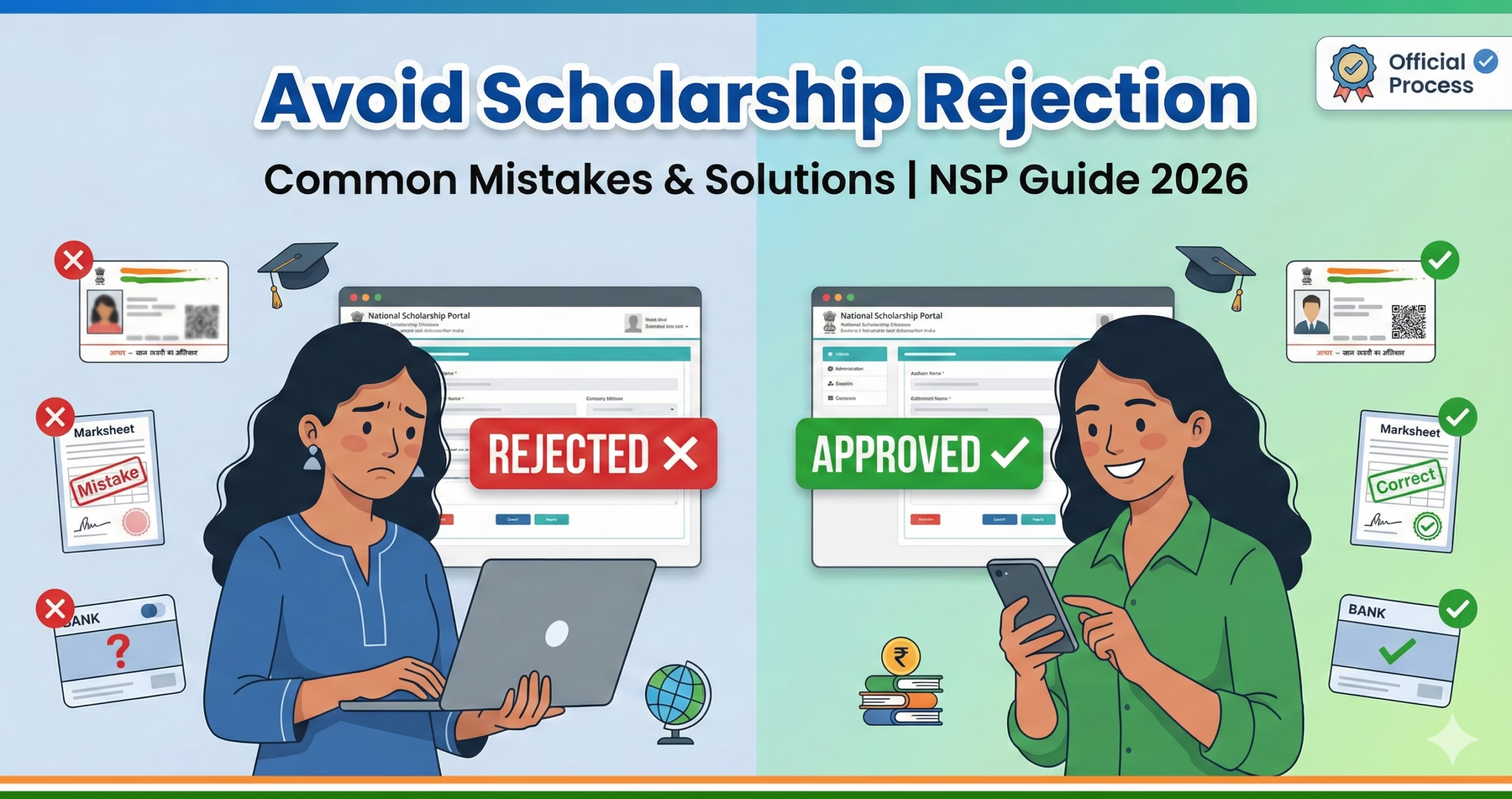
Problem 5: Application Rejected by Institute/Department
Common rejection reasons and solutions:
Reason: “Documents not clear/not uploaded”
- Solution: Re-upload clear, readable documents. Login again during renewal period and update documents.
Reason: “Income certificate invalid/expired”
- Solution: Income certificate must be of current financial year. Get fresh certificate from Tehsildar/SDM.
Reason: “Category certificate mismatch”
- Solution: For OBC, certificate must mention “non-creamy layer” and be valid. For SC/ST, ensure certificate is from competent authority only.
Reason: “Previous exam percentage below eligibility”
- Solution: Check scheme guidelines – some require 50%, some 60%. Cannot reapply if genuinely below cutoff.
Reason: “Course not eligible under scheme”
- Solution: Verify course eligibility in scheme guidelines. Some scholarships don’t cover distance/correspondence courses.
Reason: “Institution not recognized”
- Solution: Institution must be recognized by UGC/AICTE/State Board. If recognized but not in dropdown, contact institute to get listed on NSP.
Reason: “Double scholarship”
- Solution: Cannot avail two scholarships simultaneously. Choose one and apply.
Reason: “Bank account mismatch”
- Solution: Account number doesn’t match Aadhaar/student details. Update correct account.
Action after rejection:
- Check exact rejection reason in portal
- Correct the issue immediately
- Contact institution’s scholarship nodal officer
- Reapply in next cycle if deadline passed
- Lodge grievance on portal if rejection seems incorrect
Tips to Avoid Common Mistakes
- Apply Early: Don’t wait for deadline. Apply within first 2 weeks of portal opening.
- Double-Check Everything: Before final submit, verify every field against original documents.
- Name Consistency: Ensure your name is EXACTLY same across Aadhaar, Class 10 certificate, bank account, and application.
- Fresh Documents: Income certificate must be current financial year (not previous year’s).
- File Naming: Name uploaded files clearly (Income_Certificate.pdf, Marksheet.pdf) for your reference.
- Save Application Regularly: Click “Save as Draft” after completing each section.
- Active Bank Account: Ensure bank account is active, not dormant. Make at least one transaction before applying.
- Mobile Number: Use your own active mobile number (not parent’s) as OTPs and updates come here.
- Email ID: Use active email and check regularly for communication from NSP.
- Institute Follow-up: After submission, personally follow up with scholarship nodal officer for verification.
Official Helpline Numbers and Contacts
National Scholarship Portal Helpdesk:
- Toll-Free Number: 0120-6619540
- Email: helpdesk@nsp.gov.in
- Timings: Monday to Friday, 9:30 AM to 6:00 PM
- Portal: https://scholarships.gov.in (Login → Grievance/Help section)
Scholarship-Specific Helplines:
Pre-Matric SC/ST Scholarships:
- Ministry of Social Justice & Empowerment: 011-23386054
Post-Matric SC/ST Scholarships:
- Ministry of Social Justice & Empowerment: 011-23381484
Minority Scholarships:
- Ministry of Minority Affairs: 011-23096422
- Maulana Azad Education Foundation: 011-23583788
UGC Scholarships:
- University Grants Commission: 011-23604446, 011-23604200
State Scholarship Helplines: Contact your State Social Welfare Department or visit state scholarship portal for state-specific helplines.
PFMS (Payment Related Issues):
- Public Financial Management System: 1800-118-111
- Website: https://pfms.nic.in
Technical Issues:
- For portal technical issues, use “Grievance” option after login on NSP
- Raise ticket with screenshot of error
- Note ticket number for follow-up
Document Checklist Before Final Submission
☑ All mandatory fields filled correctly ☑ Name spelling verified across all documents ☑ Aadhaar number entered correctly (12 digits) ☑ Bank account in student’s name only ☑ Income certificate is current financial year ☑ Caste certificate mentions “non-creamy layer” (for OBC) ☑ All documents uploaded in correct format and size ☑ Previous marksheet and passing certificate attached ☑ Current fee receipt uploaded with institution seal ☑ Mobile number and email are active ☑ Preview completed and all details verified ☑ Declaration checkbox ticked ☑ Application ID and password saved securely ☑ Acknowledgment receipt downloaded
Important Dates (General Timeline – Verify Current Year)
- Application Period: Usually July/August to October/November
- Institute Verification: October to December
- Department Processing: November to February
- Payment Disbursement: January to March (for most scholarships)
- Renewal Applications: Usually same period annually
Note: Exact dates vary by scholarship scheme and state. Always check official portal for current year notifications.
This information is compiled from official National Scholarship Portal and various ministry sources as of February 2026. Scholarship schemes, processes, and portals are subject to periodic updates. Always verify current details, application deadlines, and eligibility criteria on the official portal https://scholarships.gov.in and respective ministry websites before applying. For the most accurate and updated information, refer to the official notification published each year.
Author

Discover more from Tips Clear - Content For Daily Life
Subscribe to get the latest posts sent to your email.