
Who Needs This Service?
- Construction workers aged 18 to 60 years who have worked for at least 90 days in building or construction work during the preceding 12 months are eligible to register as beneficiaries under the Building and Other Construction Workers (Regulation of Employment and Conditions of Service) Act, 1996.
- This includes skilled and unskilled workers such as masons, carpenters, plumbers, painters, electricians, welders, scaffolding workers, bar benders, concrete mixers, tile workers, labourers transporting construction materials, and others engaged in any building or construction activity.
Note: Monthly wages should not exceed ₹15,000 in most states. Workers must be residents of the state where they are applying. Each state has its own Building and Other Construction Workers Welfare Board (BOCWWB).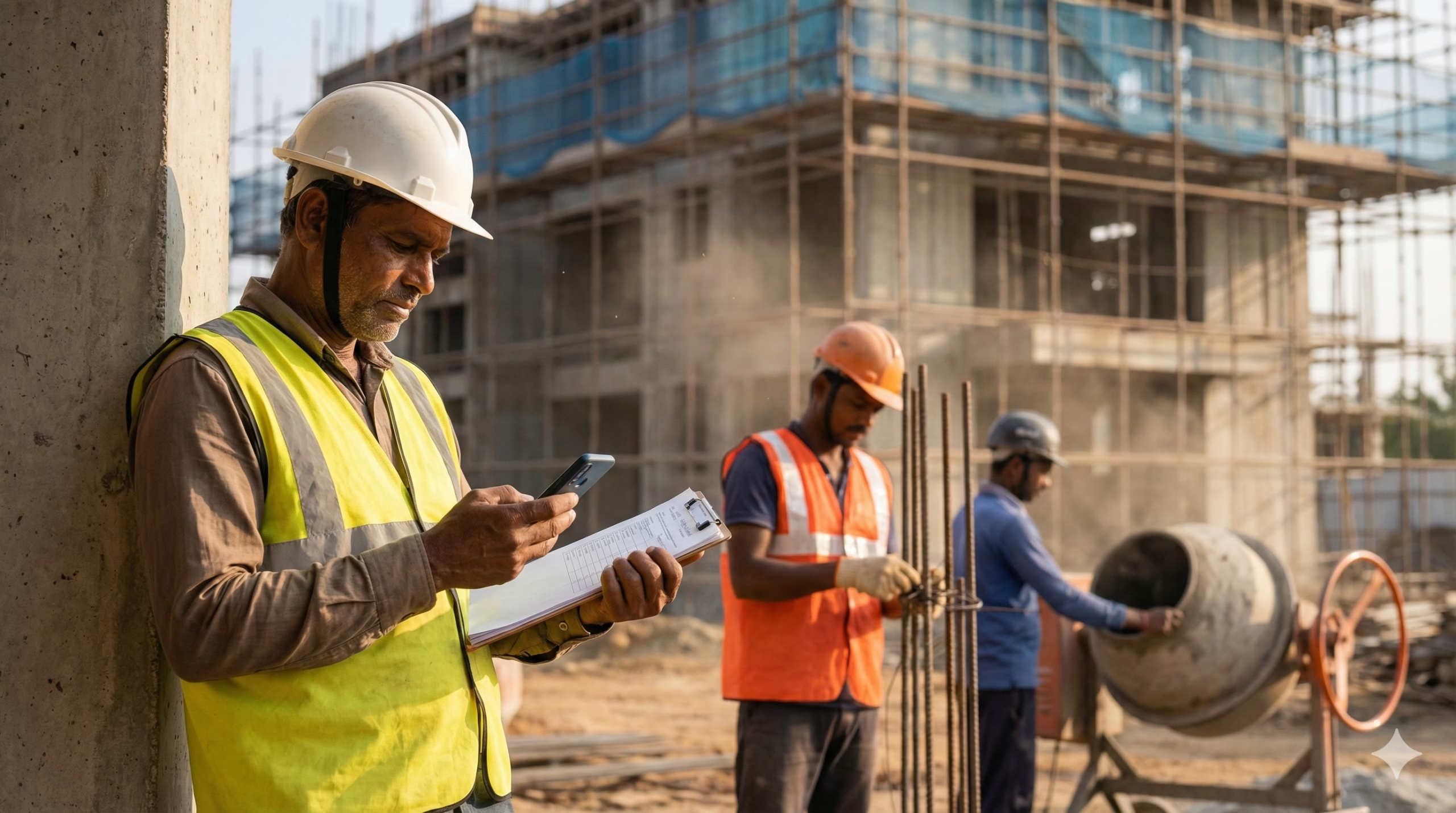
Required Documents
To register as a BOCW beneficiary, you need the following documents:
- Aadhaar Card – Must have active mobile number linked to Aadhaar for OTP verification
- 90-Day Work Certificate – Proof of working as construction worker for at least 90 days in the last 12 months, issued by employer/contractor or registered construction workers’ union (for self-employed workers). Some states provide downloadable templates on their BOCW portals.
- Age Proof – Aadhaar card, voter ID, driving license, ration card, birth certificate, or school certificate. If no document available, self-declaration affidavit by worker (attested by Notary Public) is accepted.
- Address Proof – Ration card, Aadhaar card, voter ID, driving license, bank passbook with photo, electricity bill, water bill, telephone bill, PAN card, passport, or property tax receipt.
- Bank Account Details – Bank passbook or cancelled cheque showing account number, IFSC code, branch name. Account must be Aadhaar-linked.
- Passport Size Photographs – Recent color photographs (usually 2-3 copies required)
- E-Shram Card (Required in some states like Assam) – Must be registered on e-Shram portal and have UAN (Universal Account Number)
- Family Member Details – Aadhaar cards of spouse and dependent children (for nomination and family benefits)
Document Specifications:
- All documents must be clear, legible scans
- File size should be under 200 KB to 500 KB (varies by state portal)
- Accepted formats: PDF, JPG, JPEG, PNG
- Only original documents or self-attested copies allowed
Online Application Process
The registration process is managed by each state’s Labour Welfare Board. While the basic process is similar, portal URLs and specific steps vary by state.
General Online Registration Steps:
Step 1: Access Your State’s BOCW Portal
Visit your state’s official BOCW registration portal:
- Bihar: https://bocw.bihar.gov.in or https://bocwscheme.bihar.gov.in
- Maharashtra: https://mahabocw.in or https://iwbms.mahabocw.in
- Delhi: https://bocw.delhi.gov.in
- Karnataka: https://kbocwwb.karnataka.gov.in (through Seva Sindhu portal: https://sevasindhu.karnataka.gov.in)
- Assam: https://abocwwb.assam.gov.in (Nirman Sakhi portal)
- Haryana: https://hrylabour.gov.in
- Odisha: http://bocboard.labdirodisha.gov.in
- Himachal Pradesh: https://bocw.hp.nic.in
- Other States: Visit your state’s Labour Department website or e-District portal
Step 2: Aadhaar Verification
- Click on “Worker Registration” or “New Registration” or “Apply for Registration”
- Click “Verify Aadhaar” button
- Enter your 12-digit Aadhaar number exactly as printed on card
- Enter your name exactly as it appears on Aadhaar card (case-sensitive in some portals)
- Enter captcha code displayed on screen
- Click “Authenticate” or “Send OTP” button
- You will receive a 6-digit OTP on your Aadhaar-registered mobile number
- Enter the OTP within 5-10 minutes (OTP validity period)
- Click “Verify” or “Submit”
Important: If Aadhaar verification fails, you cannot proceed. See Common Problems section below.
Step 3: Fill Personal Details
After successful Aadhaar verification, an online form will open. Fill in all mandatory fields:
- Personal Information:
- Name (auto-filled from Aadhaar)
- Father’s/Husband’s name
- Date of birth (auto-filled from Aadhaar)
- Gender
- Marital status
- Category (General/SC/ST/OBC)
- Contact Details:
- Mobile number (auto-filled from Aadhaar)
- Alternative mobile number (optional)
- Email ID (if available)
- Address Information:
- Permanent address (auto-filled from Aadhaar)
- Current address (if different from permanent)
- State, District, Block/Tehsil, Village/Ward
- Employment Details:
- Type of construction worker (mason, carpenter, painter, plumber, electrician, labourer, etc.)
- Name of current employer/contractor
- Address of work site
- Duration of work (must show minimum 90 days in last 12 months)
- Monthly wage/income
- Bank Details:
- Bank name
- Branch name
- Account number
- IFSC code
- Upload bank passbook first page or cancelled cheque
- Family Details:
- Spouse name and Aadhaar number
- Number of dependent children
- Children’s names, dates of birth, Aadhaar numbers
- Nomination Details:
- Nominee name
- Relationship with nominee
- Nominee’s date of birth and Aadhaar number
Step 4: Upload Required Documents
Upload scanned copies of all required documents:
- Click “Choose File” or “Browse” next to each document field
- Select the document from your device
- Ensure file size is within limit (usually 200-500 KB)
- Supported formats: PDF, JPG, JPEG, PNG
- Upload:
- Aadhaar card (front and back)
- 90-day work certificate
- Age proof document
- Address proof document
- Bank passbook/cancelled cheque
- Passport size photograph
- Family member Aadhaar cards
Step 5: Declaration and Consent
- Read all terms and conditions carefully
- Tick the checkbox for “I have read and agree to the terms and conditions”
- Accept consent for Aadhaar-based authentication and data sharing
- Some states require you to agree to deduct annual subscription/contribution fee
Step 6: Pay Registration Fee
- Registration fee varies by state: ₹20 to ₹50 (one-time or annual)
- Bihar: ₹20 for 1 year or ₹50 for 5 years advance contribution
- Delhi: ₹25 (₹20 contribution + ₹5 registration charges)
- Maharashtra: Fee details available on portal
- Payment methods: Debit card, credit card, net banking, UPI
- Complete payment through secure payment gateway
- Save payment receipt/transaction ID
Step 7: Submit Application
- Review all entered information carefully
- Click “Preview Application” to check details
- If everything is correct, click “Final Submit” or “Submit Application”
- You will receive an acknowledgement receipt with:
- Application reference number/Registration number
- Date of submission
- QR code (in some states)
- Take screenshot or download the acknowledgement
- You will also receive SMS and/or email confirmation on registered mobile/email
- Note down your application reference number for future tracking
Processing Time: 15-45 days depending on state and verification requirements.
Offline Registration Process
If you cannot apply online, visit your nearest Labour Office:
Step 1: Obtain Application Form
- Visit District Labour Office, Sub-Divisional Labour Office, or Block Labour Office
- Request “BOCW Worker Registration Form” (Form-V in most states)
- Or download the form from your state’s BOCW portal and take printout
Step 2: Fill the Form
- Fill the form in BLOCK LETTERS or clearly in black/blue pen
- Provide all required information: personal details, address, employment details, bank account, family details
- Paste passport size photograph in designated space
- Sign the form in presence of receiving officer
Step 3: Attach Documents
- Attach self-attested photocopies of all required documents:
- Aadhaar card
- 90-day work certificate
- Age proof
- Address proof
- Bank passbook
- Passport size photographs
- Family member Aadhaar cards
Step 4: Submit to Labour Office
- Submit completed form with all documents to:
- District Labour Officer
- Assistant Labour Commissioner
- Labour Inspector
- Panchayat Employment Servant (in rural areas)
- Pay registration fee in cash or demand draft (₹20-₹50 depending on state)
- Collect acknowledgement receipt with application number
Step 5: Track Status
- Visit the same office after 15-30 days to check status
- Or check online status using application number (see Status Check section below)
Office Timings: Usually Monday to Friday, 10:00 AM to 5:00 PM (lunch break 1:00-2:00 PM)
How to Check Application Status/Track Registration
Online Status Check:
For Bihar:
- Visit https://bocw.bihar.gov.in
- Click on “View Registration Status” or “Track Application Status”
- Enter your Aadhaar number or mobile number
- Or enter application reference number
- Click “Submit” or “Check Status”
- Your application status will be displayed: Pending/Under Verification/Approved/Rejected
For Maharashtra:
- Visit https://iwbms.mahabocw.in
- Click on “Check Registration Status”
- Enter your registration number
- Enter mobile number or Aadhaar number
- View status
For Karnataka:
- Visit https://kbocwwb.karnataka.gov.in
- Click on “View Application DBT Status”
- Select the scheme (if applicable)
- Enter application reference code
- Enter mobile number
- Click “Check Status”
For Assam:
- Visit https://abocwwb.assam.gov.in
- Login with Aadhaar number and OTP
- Check dashboard for application status
For Delhi:
- Visit https://bocw.delhi.gov.in
- Click on “Track Application”
- Enter registration number or Aadhaar number
- View status
General Method for Other States:
- Visit your state BOCW portal
- Look for “Check Status,” “Track Application,” or “View Registration Status” option
- Enter application number/Aadhaar number/mobile number
- Submit and view status
Download Labour Card:
Once your application is approved:
- Login to your state’s BOCW portal with Aadhaar and OTP
- Click on “Download Labour Card” or “Download Certificate”
- Enter your registration number or Aadhaar number
- Download the Labour Card/BOCW ID Card in PDF format
- Take printout in color
- Some states also send physical card by post to your registered address
Labour Card Validity: 1-3 years depending on state. Must be renewed before expiry.
Common Problems and Solutions
Problem 1: OTP Not Received During Aadhaar Verification
Causes:
- Mobile number not linked to Aadhaar
- Mobile number linked but inactive/switched off
- Network issues or server delays
- Incorrect Aadhaar number entered
Solutions:
- Step 1: Verify your mobile number is linked to Aadhaar
- Visit https://resident.uidai.gov.in/verify-mobile-email
- Enter Aadhaar number and captcha
- If mobile shows “not registered,” you must update it
- Step 2: Update mobile number in Aadhaar (if not linked)
- Visit nearest Aadhaar Enrolment/Update Centre with original Aadhaar card
- Fill Aadhaar Update Form
- Provide new mobile number
- Pay ₹50 update fee
- Updates reflect in 3-7 days
- Or update online at https://ssup.uidai.gov.in (if old mobile accessible)
- Step 3: If mobile is linked but OTP not coming
- Check mobile has network coverage and is switched on
- Wait 2-3 minutes and click “Resend OTP”
- Try during non-peak hours (avoid 10 AM-12 PM and 4-6 PM)
- Clear browser cache and cookies, try again
- Try different browser (Chrome, Firefox, Edge)
- Check if your number is in DND (Do Not Disturb) mode – temporarily disable it
Problem 2: Aadhaar Verification Failed – “Details Mismatch” Error
Causes:
- Name spelling mismatch between Aadhaar and entered name
- Date of birth mismatch
- Gender mismatch
Solutions:
- Enter name EXACTLY as printed on Aadhaar card (including spaces, punctuation)
- Check for extra spaces, typos
- If your name has been updated recently in Aadhaar, wait 7-10 days for UIDAI database sync
- If details are genuinely wrong in Aadhaar, update them at Aadhaar Enrolment Centre first
Problem 3: Document Upload Failed or “File Size Too Large” Error
Causes:
- Document file size exceeds portal limit (usually 200-500 KB)
- Wrong file format uploaded
- Corrupt or unreadable scan
Solutions:
- Reduce file size:
- Use online tools like https://www.ilovepdf.com/compress_pdf or https://tinypng.com
- Or mobile apps like “PDF Compressor” or “Image Resizer”
- Take fresh photo with phone in good lighting, compress before upload
- Check file format:
- Convert to JPG, JPEG, PNG, or PDF as specified by portal
- Do not upload HEIC, WEBP, or other unsupported formats
- Ensure clarity:
- All text in document should be clearly readable
- Avoid shadows, blurred edges
- Scan in 300 DPI for best quality
- If photographing, place document on plain background, ensure good lighting
Problem 4: “90-Day Work Certificate Not Accepted” or Application Rejected
Causes:
- Work certificate not in prescribed format
- Certificate not signed/stamped by employer/contractor
- Certificate does not clearly show 90 days work in last 12 months
- Dates or duration unclear
Solutions:
- Download official work certificate format:
- Check your state BOCW portal for downloadable template
- Bihar: Available at https://bocw.bihar.gov.in
- Assam: https://abocwwb.assam.gov.in/downloads
- Get proper certificate from employer:
- Certificate must be on employer/contractor’s letterhead
- Must include: worker name, Aadhaar number, type of work done, start date, end date, total days worked
- Must be signed and stamped by employer/contractor
- Must clearly state “worked for 90 days or more in last 12 months”
- For self-employed workers:
- Get certificate from registered Construction Workers’ Union
- Or submit self-declaration affidavit (notarized) stating work details
- Attach supporting documents like work receipts, site photographs, wage slips if available
Problem 5: Application Status Showing “Pending” or “Under Verification” for Long Time
Causes:
- High volume of applications causing delays
- Document verification pending
- Incomplete information submitted
- Offline verification by labour inspector required
Solutions:
- Normal processing time is 15-45 days – wait patiently
- After 45 days, if still pending:
- Call your state’s BOCW helpline (see Official Helplines section)
- Visit District Labour Office with application acknowledgement
- Check if any additional documents requested via SMS/email
- File grievance on state labour portal if no response after 60 days
Track with Application Number: Always keep your application reference number safe for tracking and follow-up.
Problem 6: Bank Account Details Not Accepted or “Invalid IFSC Code” Error
Causes:
- Incorrect IFSC code entered
- Bank account not Aadhaar-linked
- Typing errors in account number
Solutions:
- Verify correct IFSC code:
- Check bank passbook or cheque for IFSC code
- Verify online at https://bankifsccode.com
- Enter exactly 11 characters (no spaces)
- Ensure Aadhaar-bank linking:
- Visit your bank branch with Aadhaar card
- Submit Aadhaar linking form
- Linking is instant in most cases
- Double-check account number:
- Enter account number carefully, verify twice
- Ensure no extra digits or missing digits
Problem 7: Portal Not Loading or “Server Error” Message
Causes:
- High traffic on portal
- Server maintenance
- Browser compatibility issues
- Internet connectivity problems
Solutions:
- Try during off-peak hours (early morning 6-9 AM or late evening 9-11 PM)
- Clear browser cache and cookies
- Use latest version of Chrome, Firefox, or Microsoft Edge
- Disable browser extensions/ad-blockers temporarily
- Try from different device (computer instead of mobile, or vice versa)
- Check internet connection speed (minimum 2 Mbps recommended)
- If server maintenance, check portal after 2-3 hours
Portal Maintenance: Many state portals undergo maintenance on Sundays or between 12 AM to 6 AM. Check portal homepage for maintenance notices.
Welfare Benefits After Registration
Once registered as BOCW beneficiary, workers can avail various welfare schemes (vary by state):
Financial Benefits:
- Pension for workers above 60 years (₹1,000-₹3,000 per month depending on state)
- Death benefit to nominee (₹1 lakh to ₹5 lakh)
- Disability benefit (₹50,000 to ₹2 lakh depending on disability percentage)
- Maternity benefit for female workers (₹10,000-₹50,000 per delivery, up to 2 deliveries)
- Paternity benefit (₹6,000 in some states)
- Marriage assistance for daughter (₹15,000-₹51,000)
- Funeral assistance (₹5,000-₹10,000)
Education Benefits:
- Scholarship for children studying in schools/colleges (₹1,000-₹25,000 per year)
- Merit awards for toppers (₹10,000-₹50,000)
- Financial aid for professional courses (IIT, medical, engineering – up to ₹1 lakh)
Health Benefits:
- Medical assistance for critical illnesses (₹50,000-₹2 lakh)
- Accident insurance coverage
- Health insurance under Ayushman Bharat PMJAY (₹5 lakh per family per year)
Housing Benefits:
- Housing loan at subsidized interest rate
- Housing construction/repair grant (₹50,000-₹1.5 lakh)
Other Benefits:
- Tool kit assistance (₹2,000-₹5,000)
- Skill development training
- Group insurance coverage
- Bicycle assistance for children
How to Apply for Benefits:
- Login to state BOCW portal with registration number
- Select desired scheme
- Fill application form
- Upload required documents specific to that scheme
- Submit and track status
Annual Renewal
Important: BOCW registration must be renewed annually to continue receiving benefits.
Renewal Requirements:
- Fresh 90-day work certificate for the last 12 months
- Annual subscription fee (₹20-₹50 depending on state)
- Updated photograph (if required)
Renewal Process:
- Visit state BOCW portal
- Click “Renewal” or “Renew Registration”
- Login with registration number and OTP
- Upload fresh 90-day work certificate
- Pay annual subscription fee
- Submit renewal application
Renewal Deadline: Before expiry date shown on Labour Card. Late renewal may require penalty payment.
Non-renewal Consequence: If registration not renewed for 1 continuous year, beneficiary status ceases, and all benefits stop. However, can be restored by paying arrears with penalty.
Official Helpline Numbers and Contacts
Central Labour Ministry:
- Toll-Free Number: 1800-111-256 or 1800-116-666
- Email: labourminister@gov.in
- Website: https://labour.gov.in
State-Wise BOCW Helplines:
Bihar BOCW:
- Website: https://bocw.bihar.gov.in
- Helpline: Contact through “Grievance” section on portal
- Email: Available on portal
Maharashtra BOCW:
- Website: https://mahabocw.in
- Helpline: 022-26592348
- Email: Check official website for updated contact
Delhi BOCW:
- Website: https://bocw.delhi.gov.in
- Helpline: Contact Delhi Labour Department
- Office: Labour Commissioner Office, 5-Sham Nath Marg, Delhi-110054
Karnataka BOCW:
- Website: https://kbocwwb.karnataka.gov.in
- Helpline: Through Seva Sindhu portal
- Email: Check official website
Assam BOCW:
- Website: https://abocwwb.assam.gov.in
- Email: hpbocwwboard@gmail.com (Himachal reference – check Assam portal for correct email)
Haryana BOCW:
- Website: https://hrylabour.gov.in
- Helpline: Contact through portal
Odisha BOCW:
- Website: http://bocboard.labdirodisha.gov.in
- Contact: Available on portal
For Other States:
- Visit your state’s Labour Department website
- Check BOCW portal homepage for helpline numbers
- Visit nearest District Labour Office for assistance
Alternative Support Channels:
- e-Shram Portal: https://eshram.gov.in (Unified registration for unorganized workers)
- Labour Code Portal: https://labour.gov.in
- Shram Suvidha Portal: https://shramsuvidha.gov.in
Grievance Redressal:
If not satisfied with response:
- File complaint on state BOCW portal (most portals have “Add Grievance” section)
- Submit written complaint to District Labour Officer
- Contact State Labour Commissioner office
- File complaint on CPGRAMS (Centralized Public Grievance Redress and Monitoring System): https://pgportal.gov.in
- RTI (Right to Information) application can be filed for delayed applications
Important: Always quote your application reference number/registration number when contacting helplines or filing grievances.
This information is from official sources as of February 2026. Always verify on your state’s official BOCW portal for latest updates, as rules, fees, and procedures may change periodically. Each state has autonomy in implementing welfare schemes, so benefits and processes may vary. For state-specific details, visit your state Labour Welfare Board website.
Sources:
- Chief Labour Commissioner: https://clc.gov.in/clc/acts-rules/building-and-other-construction-workers
- Various State BOCW Portals (Bihar, Maharashtra, Karnataka, Assam, Delhi, Haryana, Odisha)
- Ministry of Labour and Employment: https://labour.gov.in
Author

Discover more from Tips Clear - Content For Daily Life
Subscribe to get the latest posts sent to your email.

