
Who Needs This Service?
The e-Shram portal is a national database for unorganized workers in India. You should register if you are an unorganized worker aged 16-59 years and do not have an EPFO (Employees’ Provident Fund Organisation) or ESIC (Employees’ State Insurance Corporation) account. This includes construction workers, gig workers, migrant workers, street vendors, domestic workers, agricultural laborers, and others in the informal sector.
Eligibility Criteria:
- Age: 16 to 59 years
- Must be an unorganized worker (self-employed or wage worker)
- Should not be a member of EPFO/ESIC/NPS (Government funded)
- Indian citizen with valid Aadhaar card
- Active mobile number linked to Aadhaar
Required Documents
To register on the e-Shram portal, you need:
- Aadhaar Card (mandatory – your Aadhaar number will be your e-Shram card number)
- Aadhaar-linked mobile number (for OTP verification)
- Bank account details (Account number, IFSC code, Bank name, Branch name)
- Occupation details (your work category and nature of work)
- Educational qualification details
- Skill type information if applicable
- Residential address proof (as per Aadhaar)
Note: Physical documents are not uploaded. You only need to enter information from these documents during registration.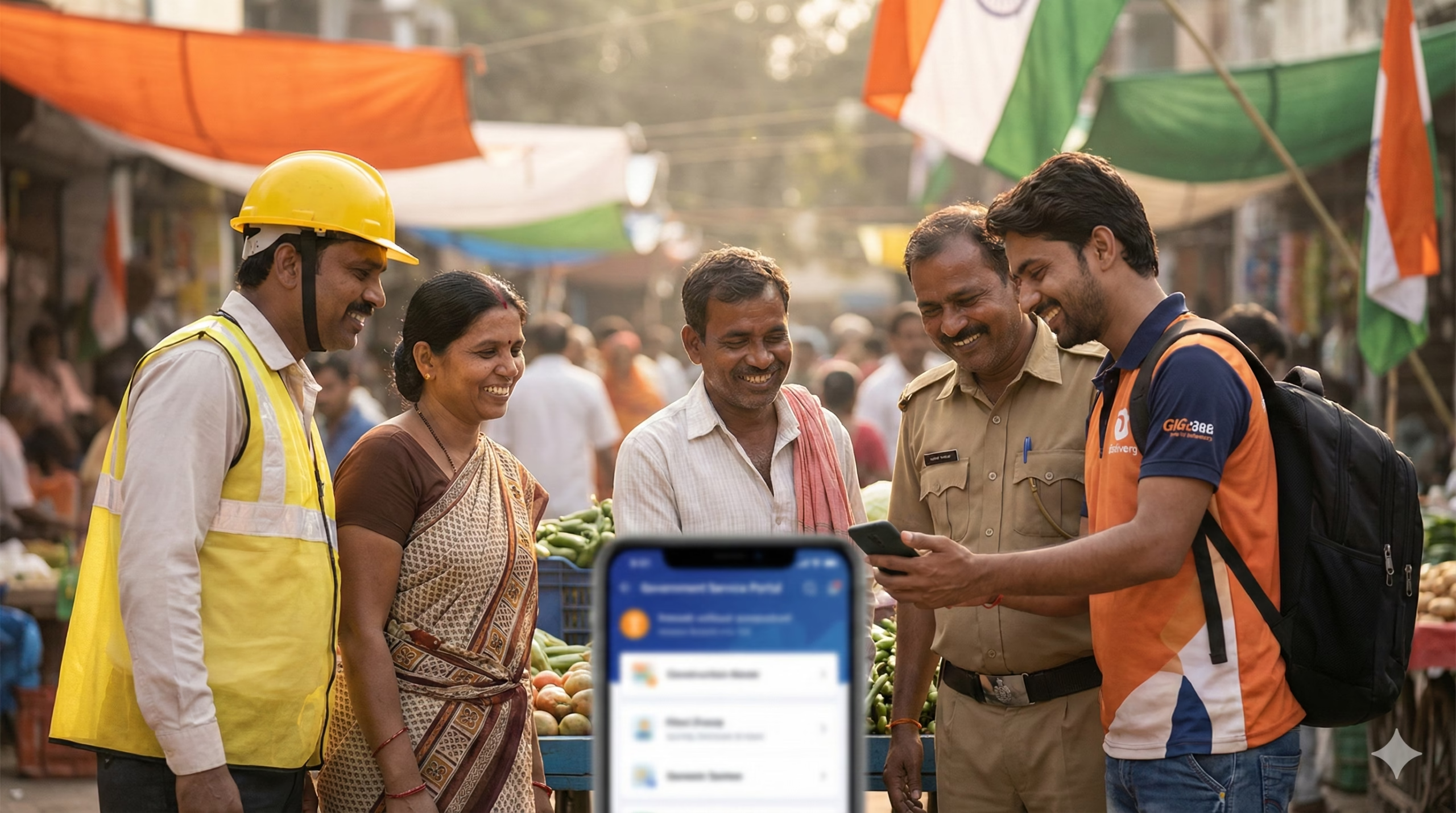
Online Application Process (Step-by-Step)
Step 1: Visit the Official e-Shram Portal
Go to the official website: https://eshram.gov.in/
On the homepage, you will see the “Register on e-Shram” button prominently displayed. The portal is available in multiple languages including Hindi, English, and regional languages.
Step 2: Click on “Register on e-Shram”
Click the orange “Register on e-Shram” button. You will be redirected to the registration page where you need to enter your Aadhaar number.
Step 3: Enter Aadhaar Number
- Enter your 12-digit Aadhaar number in the field provided
- Tick the checkbox to confirm that you are not a member of EPFO/ESIC/NPS
- Enter the captcha code shown on screen
- Click “Send OTP” button
Step 4: Verify Mobile Number with OTP
- An OTP (One-Time Password) will be sent to your Aadhaar-linked mobile number
- Enter the 6-digit OTP in the field provided
- Click “Validate” or “Submit”
- If you don’t receive OTP, click “Resend OTP” after 30 seconds
Step 5: Fill Personal Details
After OTP verification, your basic details from Aadhaar will be auto-filled:
- Name (as per Aadhaar)
- Date of Birth
- Gender
- Father’s/Husband’s Name (verify and update if needed)
- Select your marital status
- Enter your email ID (optional but recommended)
Step 6: Enter Address Details
Your address as per Aadhaar will be displayed. If you currently reside at a different location:
- Tick “Current address is different from permanent address”
- Enter your current State, District, Block, Village/Town, PIN Code
- Enter house/building/street details
Step 7: Provide Educational Qualification
Select your highest educational qualification from the dropdown:
- Illiterate
- Below Class 5
- Class 5-9
- Class 10
- Class 12
- Graduate
- Post Graduate
- Diploma/ITI
- Others
Step 8: Select Occupation Details
This is crucial for benefit eligibility:
- Select “Occupation/Nature of Work” from the dropdown (190+ occupation types available)
- Examples: Construction Worker, Domestic Worker, Agricultural Labourer, Street Vendor, Auto/Taxi Driver, Beautician, Fisherman, etc.
- Select whether you are Self-employed or Wage worker
- If monthly income is relevant, enter approximate monthly income
Step 9: Enter Skill and Experience Details
- Select your skill type if applicable
- Enter years of experience in your occupation
- If you have any formal skill training certificate, mention it
Step 10: Provide Bank Account Details
Enter accurate bank account information for benefit transfers:
- Bank Name (select from dropdown)
- Branch Name
- Account Holder Name (should match with Aadhaar name)
- Account Number
- IFSC Code (11 characters)
- Confirm Account Number
Important: Benefits and financial assistance are transferred directly to this account.
Step 11: Social Security Schemes (Optional)
You can choose if you want to enroll in:
- Pradhan Mantri Jeevan Jyoti Bima Yojana (PMJJBY) – Life insurance
- Pradhan Mantri Suraksha Bima Yojana (PMSBY) – Accident insurance
Premium amounts will be deducted from your bank account if you opt-in.
Step 12: Review and Submit
- Review all entered information carefully
- Tick the declaration checkbox confirming all details are correct
- Click “Submit” button
Step 13: Download e-Shram Card
- Upon successful registration, a confirmation message will appear
- Your UAN (Universal Account Number) will be displayed – this is your Aadhaar number
- Click “Download e-Shram Card” button
- Save the PDF to your device
- The card will show your photo (from Aadhaar), name, UAN, occupation, and date of registration
Registration Confirmation: You will receive an SMS confirmation on your registered mobile number with your UAN.
Offline Registration Process
If you cannot register online, you can register through:
1. Common Service Centres (CSC)
- Visit your nearest CSC (Common Service Centre) or Jan Seva Kendra
- Carry your Aadhaar card, bank passbook, and mobile phone
- The CSC operator will help you complete the registration
- CSC charges: Currently, registration is FREE. Do not pay any fees
- After registration, download and save your e-Shram card
How to find nearest CSC:
- Visit: https://locator.csc.gov.in/
- Enter your State and District
- Find CSC locations with contact numbers
2. State Labour Department Offices
Some states have set up facilitation counters at:
- District Labour Offices
- Block Development Offices
- Labour Welfare Board offices
Contact your district labour office for availability.
3. Self-Help Groups and Trade Unions
Many registered trade unions and self-help groups are conducting registration camps. Check with local labour organizations.
How to Check Status and Track Application
Check Registration Status:
Method 1: Through e-Shram Portal
- Visit: https://eshram.gov.in/
- Click “Already Registered” option
- Enter your Aadhaar number
- Click “Send OTP”
- Enter OTP received on your mobile
- Your e-Shram details will be displayed
- You can download your card again if needed
Method 2: Via SMS
- Send an SMS to verify registration status (check official portal for updated SMS codes)
Method 3: Check UAN
- Your UAN is your Aadhaar number itself
- If registration is successful, you can login with Aadhaar OTP anytime
Update Details:
If you need to update your information:
- Login to e-Shram portal using your Aadhaar and OTP
- Limited fields like mobile number, address, bank details can be updated
- Aadhaar details and name cannot be changed (must be corrected in UIDAI first)
Common Problems and Solutions
Problem 1: “Aadhaar is already registered with EPFO/ESIC” Error
Solution:
- This means you or your employer has registered you with EPFO or ESIC
- e-Shram is only for unorganized workers NOT covered by EPFO/ESIC
- You are not eligible for e-Shram registration
- If you believe this is an error, check your EPFO status at https://unifiedportal-mem.epfindia.gov.in/memberinterface/
- Contact your employer or previous employer about EPFO registration
Problem 2: OTP Not Received
Solution:
- Check if your mobile number is linked with Aadhaar
- Visit nearest Aadhaar centre to link/update mobile number
- Ensure mobile network connectivity
- Wait for 30 seconds and click “Resend OTP”
- Check if SMS inbox is full
- Try after some time as server may be busy during peak hours
- Some users reported delays of 5-10 minutes in OTP delivery
Problem 3: Bank Account Verification Failed
Solution:
- Ensure account number and IFSC code are entered correctly
- Account holder name should match Aadhaar name (minor variations accepted)
- Bank account should be active and operational
- Some cooperative banks may not be listed – try using a nationalized bank account
- Verify IFSC code from bank passbook or cheque
- If IFSC code is not found, contact your bank branch
Problem 4: “Session Timeout” or Portal Not Loading
Solution:
- Clear browser cache and cookies
- Use updated version of Chrome, Firefox, or Edge browser
- Avoid peak hours (early morning 6-9 AM has less traffic)
- Check internet connectivity
- Try from a different device
- Disable VPN if using any
- Try accessing through CSC if repeated failures occur
Problem 5: Unable to Download e-Shram Card After Registration
Solution:
- Login again using “Already Registered” option with Aadhaar OTP
- Click on “Download e-Shram Card” button
- Ensure PDF reader is installed on your device
- Try downloading from a desktop/laptop instead of mobile
- If download still fails, take screenshot of registration confirmation with UAN
- Contact helpline with your UAN for assistance
- Card can be downloaded multiple times after successful registration
Problem 6: Occupation Not Listed in Dropdown
Solution:
- Choose the closest matching occupation from the 190+ categories
- Select “Others” if exact match not available
- The occupation list is comprehensive covering most informal sector jobs
- Suggestion: Search using keywords before selecting “Others”
Problem 7: Different Name in Aadhaar and Bank Account
Solution:
- Bank account name should reasonably match with Aadhaar
- Minor differences (initials, spelling) are usually accepted
- If names are completely different, update either Aadhaar or bank account first
- Get name corrected in Aadhaar at https://myaadhaar.uidai.gov.in/
- Or update name in bank account by visiting branch with identity proof
Benefits Available for e-Shram Registered Workers
Once registered, you become eligible for various government schemes:
1. Financial Benefits:
- ₹2 lakh accident insurance coverage (through PMSBY if enrolled)
- Life insurance coverage (through PMJJBY if enrolled)
- Pension benefits under PM Shram Yogi Maan-dhan Yojana (separate enrollment required)
2. Welfare Schemes Access:
- One Nation One Ration Card benefits
- Ayushman Bharat health insurance (₹5 lakh coverage for eligible families)
- Maternity benefits for women workers
- National Career Service registration priority
3. Employment and Skill Benefits:
- Priority in skill development programs
- Employment exchange registration
- Access to government job notifications for suitable positions
- Scholarship schemes for children of registered workers
4. During Crisis:
- Direct Benefit Transfer (DBT) during emergencies (as seen during COVID-19)
- Food security schemes
- Housing schemes priority
5. State-Specific Benefits:
- Many states offer additional benefits to e-Shram registered workers
- Construction workers welfare board benefits
- State labour welfare fund schemes
- Check with your state labour department for specific schemes
Note: Benefits vary by state and occupation. Registration on e-Shram makes you visible in the government database for targeted welfare delivery.
Official Helpline Numbers and Contact
National Helpline:
- Toll-Free Number: 14434
- Available: Monday to Friday, 9:00 AM to 6:00 PM (except national holidays)
- Languages: Hindi, English, and regional languages
Email Support:
- Email: eshram-mole@gov.in
- For technical issues, registration problems, or grievances
Grievance Redressal:
- Login to e-Shram portal
- Click on “Grievance” option
- Submit your complaint with UAN/Aadhaar details
- Track grievance status online
Ministry Contact:
- Ministry of Labour & Employment
- Website: https://labour.gov.in/
- For policy-level queries
State Labour Department:
- Contact your state labour department for state-specific benefits
- Find contact details on respective state government websites
Important Websites:
- e-Shram Portal: https://eshram.gov.in/
- Ministry of Labour & Employment: https://labour.gov.in/
- CSC Locator: https://locator.csc.gov.in/
Social Media Support:
- Follow official handles for updates (verify official accounts)
- Avoid sharing personal details on social media
Frequently Asked Questions (Quick Answers)
Q: Is there any fee for e-Shram registration? A: No. Registration is completely FREE. Do not pay any money to anyone.
Q: How long is the e-Shram card valid? A: Lifetime validity. No renewal required.
Q: Can I register if I am above 59 years? A: No. Current eligibility is 16-59 years only.
Q: Will I get direct cash benefits after registration? A: e-Shram is a database. You become eligible for schemes, but benefits depend on specific scheme enrollment and government decisions.
Q: Can I register without bank account? A: Technically possible but bank account is essential for receiving any monetary benefits.
Q: What if I change my occupation? A: Login and update your occupation details when needed.
Important Points to Remember
✓ Register only through official portal eshram.gov.in or authorized CSCs ✓ Never pay any fee – registration is 100% free ✓ Beware of fraudulent websites and agents asking for money ✓ Keep your e-Shram card downloaded and saved ✓ Update mobile number and address when changed ✓ Share e-Shram details only on official government portals for scheme enrollment ✓ Registration does not guarantee immediate cash benefits but provides access to welfare schemes ✓ One Aadhaar = One e-Shram registration ✓ Check official portal regularly for updates on new linked schemes
Conclusion
The e-Shram card is an important identity and database entry for India’s unorganized workers, helping the government reach welfare schemes to the intended beneficiaries. The registration process is simple, free, and can be completed online in 10-15 minutes. If you are an unorganized worker, registering on e-Shram ensures you are counted in the national database and can access various welfare benefits announced by central and state governments.
This information is from official sources as of February 2026. Always verify on the official portal https://eshram.gov.in/ for the latest updates, as processes and benefits may be updated by the government from time to time.
Author

Discover more from Tips Clear - Content For Daily Life
Subscribe to get the latest posts sent to your email.

