
Who Needs This Service?
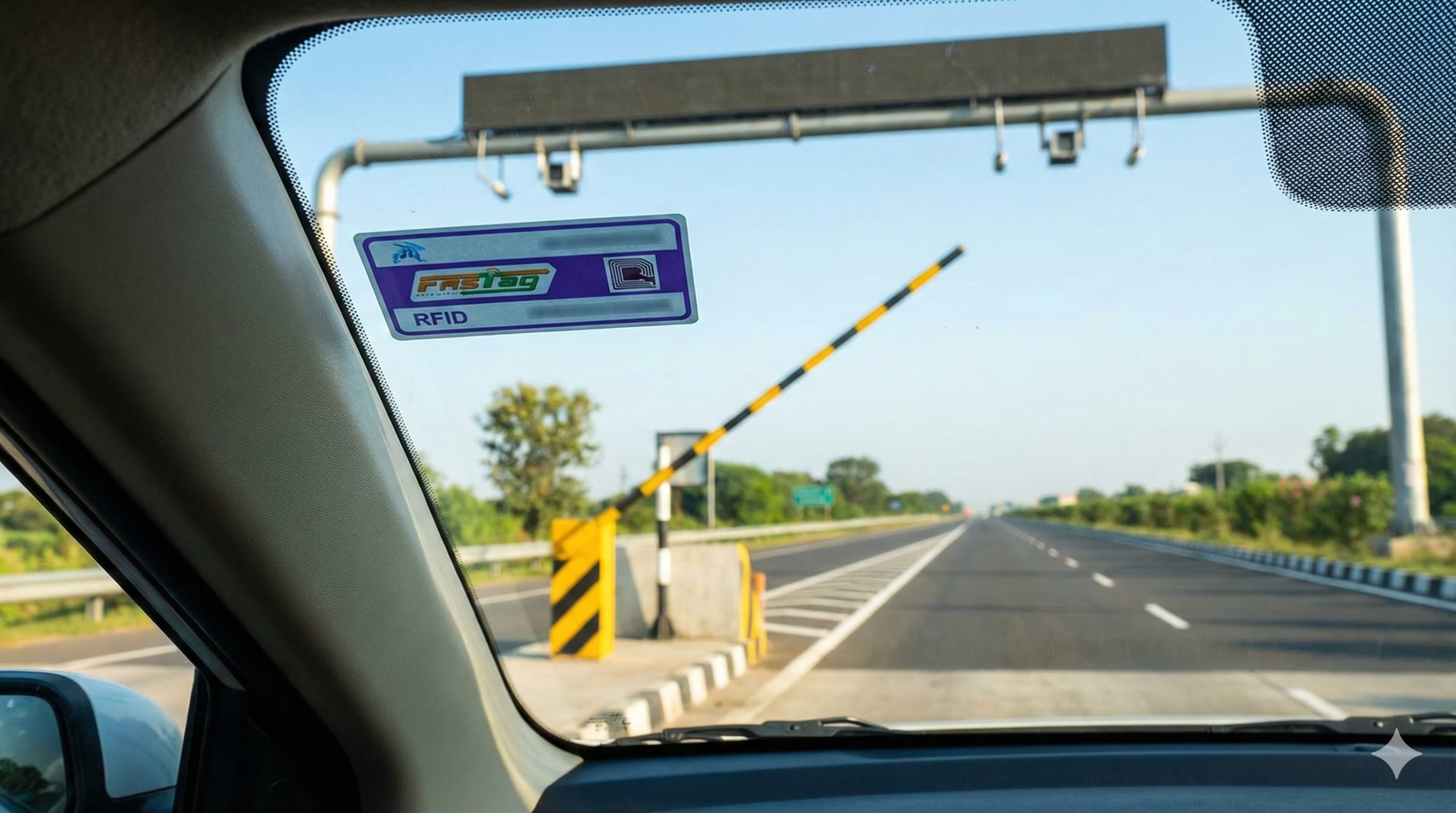
FASTag is mandatory for all vehicles in India since February 15, 2021. Any vehicle owner – whether car, jeep, van, truck, bus, or two-wheeler – using National Highways must have an active FASTag. This includes both private and commercial vehicles. From February 1, 2026, banks must verify vehicle details before activating FASTags for new vehicles.
Required Documents
To apply for FASTag, you need the following documents:
- Vehicle Registration Certificate (RC) – Mandatory for all applications
- Identity Proof – Aadhaar card, PAN card, Passport, Voter ID, or Driving License
- Address Proof – Aadhaar card, Utility bill, or Bank statement
- Passport-size Photograph – Recent photo of vehicle owner
- KYC Documents – As per vehicle category (personal/commercial)
The KYC request is processed within a maximum of 7 working days from submission.
Online Application Process
Method 1: Through Bank Websites
Step 1: Visit your preferred bank’s FASTag portal:
- SBI FASTag: https://fastag.bank.sbi
- ICICI Bank FASTag: https://www.icicibank.com/fastag
- HDFC Bank FASTag: https://v.hdfcbank.com/fastag
- Axis Bank, Paytm, or other authorized issuer websites
Step 2: Click on “Register” or “Apply for FASTag”
Step 3: Enter your mobile number and verify with OTP
Step 4: Fill in vehicle details:
- Vehicle Registration Number
- Vehicle Class (Car/Jeep/Van/LCV/Truck/Bus)
- Chassis Number (from RC)
- Engine Number (from RC)
Step 5: Upload required documents:
- Scanned copy of RC (front and back)
- ID proof
- Address proof
- Passport-size photo
Step 6: Make payment:
- Tag cost: Maximum Rs. 100 including GST (government regulated)
- Security deposit: Rs. 200 (refundable)
- Minimum recharge: Rs. 200
Step 7: Choose payment mode – Net Banking, Debit/Credit Card, or UPI
Step 8: Complete payment and note down your application reference number
Step 9: FASTag will be delivered to your registered address within 3-7 working days
Method 2: Through NHAI Website
Step 1: Visit the official NHAI website: https://www.nhai.gov.in
Step 2: Click on FASTag section
Step 3: Select “Apply for NHAI FASTag” option
Step 4: NHAI FASTag is bank-neutral, meaning no bank is linked at purchase time
Step 5: Complete registration with vehicle and personal details
Step 6: Upload documents and make payment
Step 7: Link to your bank account later through My FASTag App
Method 3: Through My FASTag Mobile App
Step 1: Download “My FASTag” app from Google Play Store or Apple App Store
Step 2: Register with your mobile number
Step 3: Select “Buy New FASTag”
Step 4: Choose issuer bank or NHAI FASTag
Step 5: Enter vehicle and owner details
Step 6: Upload documents through the app
Step 7: Make payment via UPI/Net Banking
Step 8: Track delivery status in the app
Offline Purchase Process
At Toll Plazas
Step 1: Visit any National Highway toll plaza with Point-of-Sale (POS) facility
Step 2: Carry original and photocopies of:
- Vehicle RC
- ID proof
- Address proof
- Passport-size photo
Step 3: Fill FASTag application form at the counter
Step 4: Submit documents and make payment (cash or card accepted)
Step 5: FASTag will be issued and affixed on your windshield immediately
At Bank Branches
Step 1: Visit nearest branch of authorized FASTag issuing bank (ICICI, HDFC, SBI, Axis, etc.)
Step 2: Request FASTag application form
Step 3: Fill form with vehicle and owner details
Step 4: Submit original documents for verification along with photocopies
Step 5: Make payment through cash/cheque/DD
Step 6: Collect FASTag or opt for home delivery
At Petrol Pumps
State-run oil companies IOC, BPCL and HPCL provide FASTag purchase facility. Visit authorized petrol pumps, submit documents, and get FASTag issued on the spot.
FASTag Activation Process
From February 1, 2026, FASTag activation depends on vehicle detail validation through the VAHAN database. Here’s how to activate:
Using My FASTag App
Step 1: Download My FASTag App (Android/iOS)
Step 2: Open app and select “Activate FASTag”
Step 3: Enter vehicle registration number
Step 4: Enter FASTag ID (printed on the tag)
Step 5: Verify details through OTP sent to registered mobile
Step 6: For NHAI FASTag, link to your bank account by providing:
- Bank account number
- IFSC code
- Standing instruction for auto top-up amount
Step 7: Activation is simple – enter vehicle details and follow steps in the app
Step 8: Activation confirmation will be sent via SMS
Through Bank Portal
Step 1: Login to your issuing bank’s FASTag portal
Step 2: Navigate to “Activate FASTag” section
Step 3: Enter FASTag barcode number or vehicle registration number
Step 4: Complete KYC verification if prompted
Step 5: Link to prepaid wallet or bank account
Step 6: Activation confirmed within 24 hours
How to Recharge FASTag
Method 1: Through UPI Apps (Fastest Method)
Recharge is available on 100+ UPI enabled apps like Paytm, Google Pay, PhonePe.
Step 1: Open any UPI app (Google Pay, PhonePe, Paytm, BHIM)
Step 2: Go to “Bill Payment” or “Recharge & Pay Bills”
Step 3: Select “FASTag” option
Step 4: Enter FASTag UPI handle in format: netc.vehiclenumber@bankupihandle
Example formats:
- SBI: netc.DL01AB1234@sbi
- ICICI: netc.MH02CD5678@icici
- HDFC: netc.KA03EF9012@hdfcbank
- Axis: netc.TN04GH3456@axisbank
Step 5: Enter recharge amount (minimum Rs. 100)
Step 6: Verify UPI ID and confirm payment
Step 7: Enter UPI PIN
Step 8: Receive confirmation SMS within minutes
Method 2: Through Bank Net Banking
Step 1: Login to your bank’s net banking portal
Step 2: Navigate to “FASTag” or “Payments” section
Step 3: Select “FASTag Recharge”
Step 4: Enter vehicle number or FASTag ID
Step 5: Enter recharge amount
Step 6: Confirm transaction with OTP or password
Method 3: Through BBPS (Bharat Bill Payment System)
Step 1: Use BBPS-enabled platforms (Bajaj Finserv, Paytm, PhonePe, Bank apps)
Step 2: Select “FASTag” under bill payment
Step 3: Choose your FASTag issuer bank
Step 4: Enter vehicle registration number
Step 5: Enter recharge amount
Step 6: Select payment method (UPI/Card/Net Banking/Wallet)
Step 7: Complete payment
Method 4: Through Mobile Banking Apps
Step 1: Open your bank’s mobile app (SBI YONO, ICICI iMobile, HDFC MobileBanking)
Step 2: Go to “FASTag” section
Step 3: Select “Recharge FASTag”
Step 4: Choose linked vehicle or enter vehicle number
Step 5: Enter amount and confirm payment
Method 5: Scan QR Code on FASTag
Step 1: Open any UPI application and scan QR printed on your FASTag
Step 2: Confirm recharge amount
Step 3: Enter UPI PIN
Step 4: Instant recharge confirmation
Method 6: At Toll Plaza POS Counter
Step 1: Visit any toll plaza with BBPS facility
Step 2: Request FASTag recharge at POS counter
Step 3: Provide vehicle number
Step 4: Pay cash/card at counter
Step 5: Recharge reflects immediately
Auto-Recharge Setup
For frequent travelers, auto-recharge facilities can be enabled to automatically add a specific amount when balance drops below predefined threshold.
Step 1: Login to bank FASTag portal or app
Step 2: Enable “Auto Top-up” option
Step 3: Set threshold amount (e.g., Rs. 100)
Step 4: Set auto-recharge amount (e.g., Rs. 500)
Step 5: Provide standing instruction authorization
How to Check FASTag Balance
Method 1: Missed Call Service (No Internet Required)
NHAI provides missed call facility – give missed call to +91-8884333331 from registered mobile number to receive SMS with wallet balance.
For NHAI prepaid wallet FASTag:
- Dial: +91-8884333331
- Receive SMS with balance instantly
For SBI FASTag: Give missed call to 7208820024 from registered mobile to receive SMS with balance details
For ICICI FASTag:
- Dial: 8010928888
For Airtel FASTag: Dial 01204725873 from registered mobile number to receive SMS with current balance
Method 2: Through SMS
For SBI – Type FTBAL for single vehicle or FTBAL <VehicleNumber> for multiple tags and send to 7208820019
For ICICI:
- Type: ETCBAL <Vehicle Registration Number>
- Send to: 5676766
Method 3: Through My FASTag App
Step 1: Open My FASTag app
Step 2: Login with registered mobile number
Step 3: Balance displayed on home screen
Step 4: View transaction history for details
Method 4: Through Bank Mobile Apps
Step 1: Open bank’s mobile app (SBI YONO, ICICI iMobile, HDFC MobileBanking)
Step 2: Navigate to FASTag section
Step 3: Balance visible on dashboard
Step 4: Check recent toll deductions
Method 5: Through Bank Web Portal
Step 1: Visit bank’s FASTag portal
Step 2: Login with credentials
Step 3: Dashboard shows current balance and transaction history
Step 4: Download statements if needed
Method 6: SMS Alerts After Toll Transactions
Every toll transaction triggers SMS alert to registered mobile number containing toll amount deducted and remaining balance. Check your last SMS to know current balance.
Method 7: Through Customer Care
Call SBI Customer Care at 1800-11-0018 or 1033 (NHAI), provide vehicle registration number to get balance information.
Status Checking
To check if your FASTag is active or blacklisted:
Step 1: Visit NPCI FASTag Status Portal: https://www.npci.org.in/what-we-do/netc-fastag/check-your-netc-fastag-status
Step 2: Enter Vehicle Registration Number
Step 3: Click “Check Status”
Step 4: View activation status and linked FASTag details
Common Problems and Solutions
Problem 1: FASTag Blacklisted
A blacklisted tag means the tag is blocked by issuer bank and cannot be used to pay toll. Common reasons include insufficient balance or violations like vehicle-tag class mismatch.
Solutions:
- Check balance immediately and recharge if low
- Call issuing bank customer care after recharge to activate blacklisted FASTag
- Update KYC if incomplete (KYC update processed within 7 working days)
- Verify vehicle details match FASTag registration
- Contact bank to understand specific blacklist reason
Problem 2: Recharge Not Reflecting
Solutions:
- Wait 2-4 hours for payment gateway processing
- Check transaction status in bank/UPI app
- Verify payment was made to correct FASTag UPI handle
- Contact bank customer care with payment reference number
- For failed transactions where amount debited but not credited, call bank call center to raise reversal request
Problem 3: Tag Not Read at Toll Plaza
If FASTag is not acceptable at toll plaza, call 1033 toll-free number and register complaint.
Solutions:
- Ensure FASTag is properly affixed on windshield (not hand-held)
- Check if tag is damaged or peeling off
- Verify sufficient balance exists
- Clean windshield near tag area
- Report to toll plaza operator
- Call 1033 immediately for assistance
Problem 4: Double Deduction
Transaction disputes must be reported within 15 days from transaction date.
Solutions:
- Check SMS alerts to confirm double deduction
- Note transaction date, time, and toll plaza name
- Login to FASTag portal and raise “Transaction Dispute”
- Upload supporting documents (receipts, screenshots)
- Contact bank customer care to initiate chargeback
- Bank will review and refund if found valid
Problem 5: KYC Incomplete or Pending
From February 2026, separate KYC process for FASTag has been removed for cars – banks verify details before activation.
Solutions for existing FASTag users:
- Login to issuing bank’s FASTag portal
- Navigate to KYC section
- Upload ID proof, address proof, vehicle RC, and passport photo
- Submit documents for verification
- Wait 7 working days for processing
- Check status in portal/app
Problem 6: Multiple FASTags for Same Vehicle
Under ‘One Vehicle One FASTag’ initiative, all FASTags linked to single vehicle except latest one shall be deactivated.
Solutions:
- Identify which FASTag is currently active
- Deactivate older FASTags through issuing banks
- Use only one active FASTag per vehicle
- Transfer balance from old to new FASTag if needed
Problem 7: Lost or Damaged FASTag
Solutions:
- Report loss/damage to issuing bank immediately by calling customer care to blacklist the tag so no further transactions occur
- Visit bank branch or login to portal
- Apply for new FASTag
- Request balance transfer to new tag or withdraw balance
- Receive new FASTag within 3-7 days
FASTag Annual Pass (New Feature)
On August 15, 2026, NHAI launched FASTag Annual Pass at Rs. 3,000 per year allowing unlimited crossings or up to 200 crossings, whichever comes first Fastag.
Eligibility: Private cars, vans, and jeeps only
Validity: One year from activation date OR 200 toll crossings (whichever occurs first)
How to Activate:
- Download Rajmargyatra App or visit NHAI portal
- Login/Register with vehicle details
- Select “Annual Pass” option under Toll Road Information
- Click “Pre Book”
- Complete payment of Rs. 3,000
- Pass activated from payment date
Coverage: Valid only at National Highway (NH) and National Expressway (NE) fee plazas. At State Highways, FASTag operates as regular tag with applicable charges
Official Helpline Numbers and Contact
National Helpline
NHAI/IHMCL Helpline: 1033 (toll-free, available 24/7) for FASTag complaints at toll plaza level
Issues handled:
- Tag blacklisted but showing as active
- Forced cash payment despite sufficient balance
- FASTag not working at toll plaza
- General toll plaza complaints
Bank-Specific Customer Care Numbers
SBI FASTag: 1800-11-0018
ICICI Bank FASTag: 18002100104 (toll-free)
HDFC Bank FASTag: 1800-120-1243
Axis Bank FASTag: Contact through bank customer care
Paytm FASTag: Available through Paytm app support
NHAI Prepaid Wallet Balance: +91-8884333331 (missed call service)
Email Support
For escalations: etc.nodal@ihmcl.com
HDFC Bank disputes: [email protected]
Websites for Reference
NHAI Official: https://www.nhai.gov.in
IHMCL FASTag Portal: https://fastag.ihmcl.com
NPCI FASTag Status: https://www.npci.org.in/what-we-do/netc-fastag
My FASTag App: Download from Google Play Store / Apple App Store
This information is from official sources as of February 2026. Always verify on official NHAI portal (www.nhai.gov.in) and your issuing bank’s FASTag portal for latest updates, pricing, and procedures.
Author

Discover more from Tips Clear - Content For Daily Life
Subscribe to get the latest posts sent to your email.


