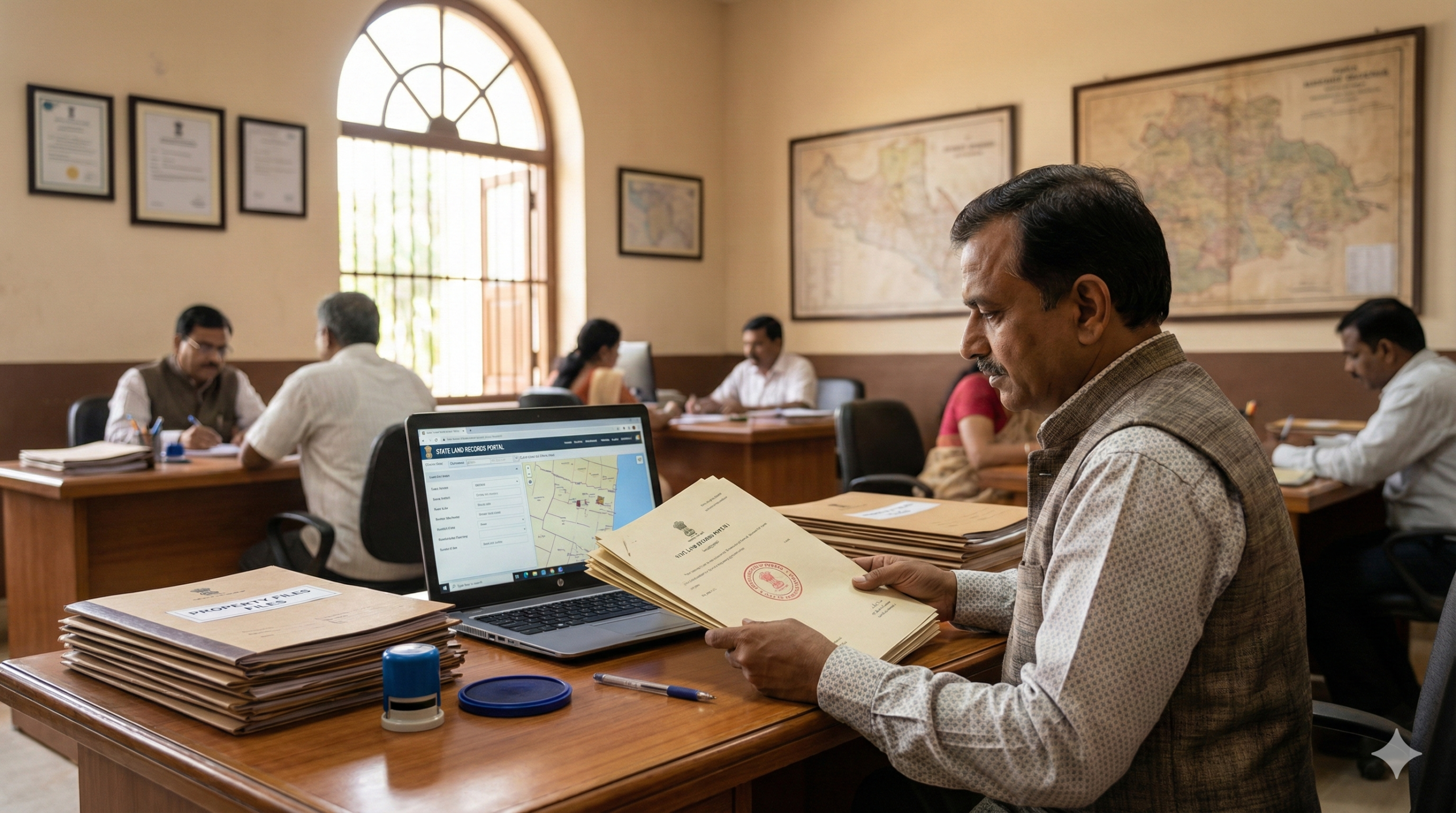
Suresh from Hyderabad paid ₹45 lakh for a plot on the outskirts of the city, got his sale deed stamped at the Sub-Registrar’s office, and went home believing his work was done. Two years later, when he tried to mortgage the property for a business loan, the bank’s legal team came back with a problem: the revenue record — the official government land ledger — still showed the previous owner’s name. His loan got stuck for three months.
This is the most common and most expensive mistake first-time buyers make in India. And the difference between land records and property registration is exactly the confusion at the root of it.
These are two separate systems. Two different departments. Two different outcomes. And you need both.
The Core Difference — Two Systems, One Property
Think of it this way.
Property registration (registry/sale deed) happens at the Sub-Registrar of Assurances office. When you buy land or a flat, the seller executes a Sale Deed in your favour. You pay stamp duty and registration charges to the state government. The Sub-Registrar stamps it, scans it, and gives you back the registered document. From that moment, you have legal proof of purchase — admissible in any court in India under the Registration Act, 1908.
Land records (mutation/dakhil kharij/bhulekh) belong to a completely different department — the Revenue Department, managed at the Tehsil or Taluka level. This department maintains a register of who owns which land for the purpose of property tax collection and agricultural rights. When you buy a property, this register still shows the previous owner’s name until you separately apply to update it. That update process is called mutation (dakhil kharij in north India, namantaran in Maharashtra, parivartan in Gujarat, pokkuvaravu in Tamil Nadu — different state, same concept).
The short version: registry proves you bought it. Mutation proves the government recognises you as the current owner for tax and record purposes.
You need both. One without the other is incomplete.

Why Buyers Get Confused — And Why It Matters
The confusion happens because at the Sub-Registrar’s office, the process feels final. Papers are stamped. Official signatures are exchanged. You’ve paid lakhs in stamp duty. Surely that’s it?
Not quite. The Sub-Registrar’s department and the Revenue Department don’t automatically talk to each other in most states — although that’s changing now (more on this shortly). Your registered deed enters the Sub-Registrar’s database. The land revenue records at the Tehsil? Still unchanged. You have to manually initiate the update.
I’ve seen people wait five, six, even ten years before discovering the mutation was never done — usually when they try to sell the property and the buyer’s lawyer raises the red flag.
What You Need Before Checking or Applying for Mutation
Before you go to any portal, get these documents ready:
- Registered Sale Deed — the stamped, registered original from the Sub-Registrar’s office (or a self-attested photocopy)
- Latest property tax receipt — shows the previous tax payment history
- Encumbrance Certificate (EC) — proves no outstanding loans or legal claims on the property (available from the Sub-Registrar or online at your state’s IGR portal)
- Identity proof — Aadhaar is accepted on all state portals; some also accept PAN
- Passport-size photograph — for physical/offline applications
- Category certificate — if applying under SC/ST reservation in agricultural land cases (some states require this)
For online submissions, most portals accept PDFs under 2 MB per document. Scan at 150 DPI, not 300 — a 300 DPI scan of a full sale deed can easily cross 5 MB and get silently rejected.
How to Check Existing Land Records — State Portal Guide
Before applying for mutation, always check what the current land record says. This is free on almost every state portal as of 2026.
Here are the main portals by state:
- Uttar Pradesh: https://upbhulekh.gov.in → Click “View Copy of Khatauni” → Select District → Tehsil → Village → Search by Khasra number, Khata number, or owner name
- Maharashtra: https://bhulekh.mahabhumi.gov.in → Select region → Enter district/taluka/village/survey number → View 7/12 extract (satbara utara)
- Karnataka: https://landrecords.karnataka.gov.in (Bhoomi portal) → Click “RTC and MR” → Enter district/taluk/hobli/village details → View Record of Rights, Tenancy and Crop (RTC)
- Rajasthan: https://apnakhata.raj.nic.in → Select tehsil → Enter Khasra/Khata number → View Jamabandi (jamabandi kaise dekhen)
- Gujarat: https://anyror.gujarat.gov.in → Click “View Land Record-Rural” or “Urban” → Enter district/taluka/village/survey number → View 7/12 (satbara)
- Telangana: https://bhubharati.telangana.gov.in → Select “Land Details Search” → Enter district, mandal, village, Khata number → View ROR 1B (⚠️ Update March 2026: Telangana migrated from the Dharani portal to the new Bhu Bharathi portal in 2025 under the Telangana Bhu Bharathi Act, 2025 — use the new URL)
- Haryana & Punjab: https://jamabandi.nic.in → Enter district/tehsil/village → View Jamabandi/Record of Rights
- Bihar: https://biharbhumi.bihar.gov.in → “Apna Khata Dekhen” → Select district/block/village → View land record
On mobile: all of these portals work on Chrome for Android. The UMANG app (https://web.umang.gov.in) aggregates several state land record services under one app — useful if you’re checking quickly from a phone. However, for downloading certified copies, use a desktop browser — UMANG’s PDF export sometimes fails on older Android versions.
How to Apply for Mutation (Dakhil Kharij) — Step by Step
The exact portal differs by state, but the core steps are consistent:
- Go to your state’s revenue/bhulekh portal (links above). Look for “Mutation,” “Name Transfer,” “Dakhil Kharij,” or “Namantaran” in the main menu or under “Citizen Services.”
- Register as a new user using your mobile number (OTP-based). Some portals like UP Bhulekh and Karnataka Bhoomi integrate with your Aadhaar for identity verification. Keep your Aadhaar-linked mobile ready.
- Select “Apply for Mutation” or the equivalent option. You’ll typically see a form with fields for: applicant name, father’s/husband’s name, property details (survey/khasra number, district, tehsil, village), previous owner’s name, and basis of transfer (purchase/inheritance/gift).
- Fill in property details exactly as they appear on your Sale Deed. This is where most mistakes happen — survey numbers, plot areas, and owner names must match the existing land record precisely. A single digit off in the khasra number (khasra number mismatch) can hold up your application for weeks.
- Upload supporting documents. Usually: scanned Sale Deed, Aadhaar copy, recent property tax receipt, and passport photo. File size limits vary — UP Bhulekh accepts up to 2 MB per document; Karnataka Bhoomi allows 1 MB. Check the portal’s upload page.
- Pay the mutation fee online via net banking, debit/credit card, or UPI. Fees vary by state (see below).
- Note your application reference number. Screenshot this page. I cannot stress this enough — in my experience, portals time out after payment before displaying the acknowledgement page, and you’ll need this number to track status.
- After the application is submitted, a public notice is issued for 15 days. If no objection is raised in that period, the Revenue Officer (Patwari/Tehsildar) approves the mutation and the record is updated in your name.
Fees and Timeline — What to Expect in 2026
Mutation fees in India are extremely low — almost insultingly so, given the importance of the process:
- Uttar Pradesh: ₹25–₹100 depending on property type (as per UP Revenue Code, 2006)
- Karnataka: No fee for mutation of purchased property; ₹200 for other categories (as per Bhoomi portal FAQ, 2025)
- Maharashtra: ₹200 per mutation application (as per Maharashtra Land Revenue Code)
- Rajasthan: ₹20–₹50 per mutation application (as per Apna Khata portal FAQ)
- Haryana: ₹50–₹200 based on land area (as per state revenue department)
Payment is via online challan on state portals. UPI is accepted on most portals as of 2026. Cash payments are accepted at the Tehsil office for offline applications.
Processing time: 7 to 30 days from the end of the public notice period (15 days), depending on the state and workload. Karnataka Bhoomi commits to 30 days. UP technically requires 45 days. Practically speaking, urban areas move faster; rural revenue circles are slower.
What if it’s delayed? File a grievance on CPGRAMS (https://pgportal.gov.in) citing the specific Tehsil and your application number. State revenue departments are obligated to respond. Some states also have their own grievance trackers — UP Revenue Court portal (https://vaad.up.nic.in), for instance, lets you track revenue-related complaints.
How to Track Your Mutation Status
Once you’ve applied:
- UP: https://upbhulekh.gov.in → “नामांतरण स्थिति देखें” (Namantaran Sthiti Dekhen) → Enter district, tehsil, and application number
- Maharashtra: https://bhulekh.mahabhumi.gov.in → “Mutation Status” → Enter application number
- Karnataka: https://landrecords.karnataka.gov.in → “RTC Mutation” → Track by application number
- Rajasthan: https://apnakhata.raj.nic.in → “Dakhil Kharij” → Track status
Status messages typically show: Submitted → Under Verification → Public Notice Issued → Approved/Rejected. If it says “Under Objection,” someone has raised a legal dispute during the 15-day notice window — which means you need to contact the Tehsil office in person and understand the objection before proceeding.
Common Mistakes — And How to Fix Them
❌ Thinking registration alone is enough
✅ Registration and mutation are both mandatory for complete ownership security. Do both. Mutation protects you from the previous owner (or their heirs) trying to claim the property or resell it illegally.
❌ Entering mismatched details from the Sale Deed vs land record
✅ Before filling the mutation form, open your state’s bhulekh portal and note the exact spelling of the previous owner’s name, the exact survey/khasra number, and land area as shown in the current record. Copy these character-by-character into the form.
❌ Uploading oversized PDFs
✅ Compress all documents before uploading. A multi-page registered sale deed scanned at 300 DPI easily crosses 8–10 MB. Use ilovepdf.com or Smallpdf.com to bring it under 2 MB. Many state portals reject uploads silently — you won’t get an error, the form just won’t submit.
❌ Not checking the land record before buying the property
✅ Always verify the bhulekh record before you pay. Check that the seller’s name matches the land record. Check for any “encumbrance” (bojh/liabilities) entries — courts, banks, or family disputes are often recorded there. This takes five minutes on your phone and can save you years of legal misery.
❌ Ignoring the public notice period
✅ After applying for mutation, the Patwari issues a 15-day notice. Visit the Tehsil office or check the portal at the 15-day mark to confirm no objection has been filed. Most buyers assume silence means approval — it usually does, but not always.
❌ Using informal/third-party portal clones for bhulekh checks
✅ Many unofficial websites mimic state land portals and look nearly identical. Always check the URL — official portals end in .gov.in, .nic.in, or .gov.in subdomains. A portal like “upbhulekh.org.in” is not the official government portal. On mobile, it’s easy to click the wrong search result. Bookmark the official URL on your phone.
What’s Changing in 2026 — Instant Mutation
Here’s something most property buyers aren’t aware of yet.
Several states are piloting instant mutation — where property registration and revenue record update happen simultaneously through linked digital systems. Under this model, when you complete registration at the Sub-Registrar’s office and stamp duty is verified, the data is automatically pushed to the revenue department’s records, triggering the mutation process without a separate application.
This is part of the broader Digital India Land Records Modernization Programme (DILRMP) and the Registration Bill, 2025, which proposes integrating Sub-Registrar databases with state Bhulekh systems nationally. Karnataka, Telangana (through Bhu Bharathi), and parts of Uttar Pradesh are already running connected systems where the registration data feeds into the mutation queue automatically.
If your state is already using this linked system, you may receive an SMS after registration saying your mutation application has been auto-initiated. Still verify by checking your bhulekh portal after 30 days — even automated systems have gaps.
Two Real Stories That Show Why Both Steps Matter
Take Kavitha from Bengaluru. She bought a 1,200 sq ft apartment in 2021, registered it properly, and got her Sale Deed. She never applied for mutation because her builder told her “it’s handled.” In 2024, when her husband applied for a property-backed loan, the bank pulled the Bhoomi record — and the previous plot owner (pre-construction land data) was still showing. Three months and multiple Taluk office visits later, the mutation was cleared. The builder had done nothing.
And then there’s Mohan from Patna, who found himself in the opposite problem. He checked the land record before buying — which showed his seller as the owner. But he didn’t know to verify whether there was an active mutation application filed by someone else (a sibling claiming inheritance rights) that was still pending in the revenue court. He paid, registered, and only later discovered the dispute. The land record check is necessary — but so is the encumbrance certificate, and ideally a title search by a lawyer for high-value transactions.
Both errors are preventable. Both are common.
What Nobody Tells You
Here is the part that almost every property guide skips:
You can check if someone else has already filed a mutation claim on a property — before you buy it.
On most state Bhulekh portals, there is a “Mutation Register” or “Pending Mutations” section that shows active, pending mutation applications for any survey/khasra number. If you search the property you’re planning to buy and see a mutation application that was filed but not yet approved or rejected, it means someone else is in the process of claiming ownership transfer on that same plot. This could be an inheritance dispute, a court-ordered transfer, or a fraudulent application.
On UP Bhulekh, look under “नामांतरण पंजीकरण” (Namantaran Panjikaran), On Maharashtra’s portal, it’s under “Mutation Register.” On Karnataka Bhoomi, check the “Mutation Status” search.
This takes two minutes. It’s not standard advice you’ll find in a property brochure. But it’s the kind of check that separates buyers who have been through land disputes from those who haven’t.
FAQs
What is the difference between land record and property registration?
Property registration (registry) is the legal transfer of title through a Sale Deed at the Sub-Registrar’s office, governed by the Registration Act, 1908. Land records (mutation/bhulekh) are revenue department ledgers recording who the government recognises as the taxable owner. Both are needed for full legal and administrative ownership.
Registry ke baad mutation karna zaruri hai kya?
Haan, mutation bilkul zaruri hai. Registry sirf sale deed ka proof hai. Jab tak mutation nahi hoga, government records mein seller ka naam rahega. Bank loans, resale, aur utility connections — sabke liye updated mutation record chahiye.
Can I check land records for free online?
Yes, viewing land records on state bhulekh portals is free in almost all states. A small fee — generally ₹15–₹30 — may apply for downloading a digitally certified copy. Basic ROR viewing is always free.
How long does mutation take after property registration?
Generally 30–45 days after the 15-day public notice period, depending on the state. States like Karnataka and Telangana process it faster under digital systems. In rural areas and contested cases, it can stretch to 90 days or more.
What if the land record still shows the old owner’s name after I applied?
Check the mutation status on your state’s portal using the application reference number. If it’s been more than 45 days since the notice period ended, file a grievance on CPGRAMS (https://pgportal.gov.in) with your application number, Tehsil name, and date of application. Attach the acknowledgement screenshot.
Is a registered sale deed proof of ownership in court?
Yes. A registered Sale Deed is the primary legal proof of ownership under the Registration Act, 1908, and is admissible in court. However, mutation is also needed for property tax, bank loans, and future resale — so both documents together constitute complete ownership documentation.
What is an encumbrance certificate and do I need it?
An Encumbrance Certificate (EC) lists all registered transactions — loans, mortgages, sale deeds — on a property. Always get it before buying. In most states you can download it from the state IGR (Inspector General of Registration) portal. It covers a search period of your choice (e.g., last 15 years) and costs roughly ₹25–₹200 depending on the period searched.
Your registered sale deed is your court-admissible proof. Your updated bhulekh record is your administrative proof. Neither alone is enough. Once you’ve registered the property, start the mutation application within 30 days — don’t wait until you need a bank loan or want to sell to discover it was never done.
Chinnagounder Thiruvenkatam — Editor at Tips Clear. Our team researches official government portal workflows, tests mutation and land record search processes on both mobile and desktop, and updates guides when state portal interfaces or revenue department rules change. We rely on official state bhulekh portals, DILRMP documentation, and state-specific Revenue Codes. This content is educational and should not be treated as legal or financial advice. Property transactions are YMYL matters — always verify the latest mutation and registration process on your specific state’s official portal, and consult a registered property lawyer for high-value or disputed transactions.
Discover more from Tips Clear - Content For Daily Life
Subscribe to get the latest posts sent to your email.