
Who Needs This Service?
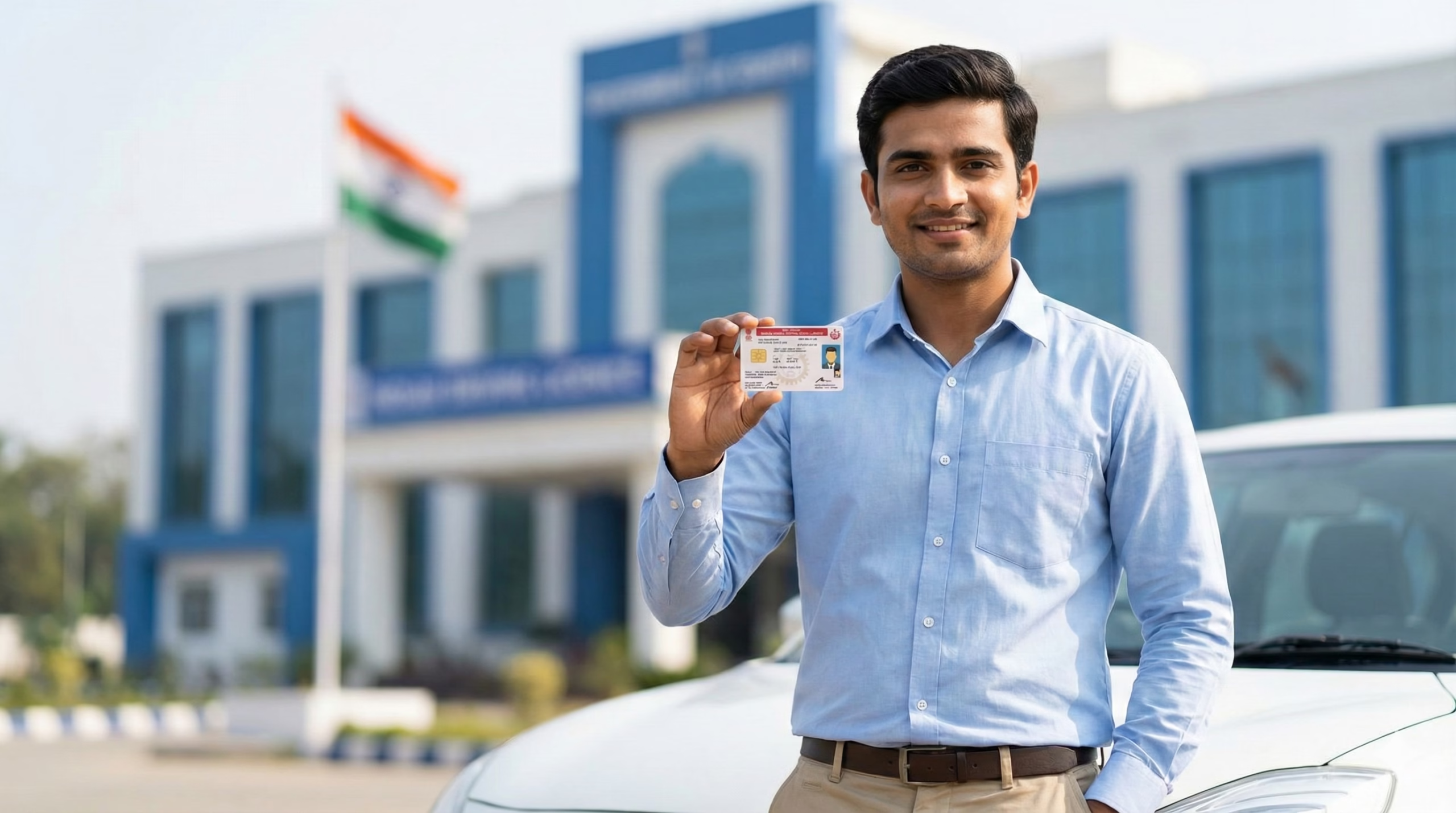
Indian citizens who have held a valid Learner’s Licence for at least 30 days but not more than 180 days can apply for a Permanent Driving Licence Parivahan Sewa. You must be at least 18 years old for Light Motor Vehicles (cars, jeeps) and motorcycles with gears, or 16 years old for gearless two-wheelers up to 50cc (with parental consent). For commercial or transport vehicles, you must be at least 20 years old Parivahans. The Permanent Driving Licence allows you to drive independently on Indian roads without supervision and is valid throughout India.
Required Documents
To apply for a Permanent Driving Licence, you must have the following documents ready in scanned format:
Mandatory Documents:
- Valid Learner’s Licence (must not be expired) Bihar Help
- Proof of Age: Birth certificate, PAN Card, Passport, Class 10th mark sheet, or Aadhaar card
- Proof of Address: Aadhaar card, Passport, Voter ID, electricity bill, gas bill, or rent agreement with utility bill (not older than 3 months)
- Proof of Identity: Aadhaar card, Passport, Voter ID, or PAN Card
- Recent passport-sized color photographs (typically 3.5 cm x 4.5 cm, file size under 50KB in JPG/JPEG format)
- Digital signature: Scanned signature on white paper (file size under 30KB)
- Form 1: Self-declaration of physical fitness
- Form 1A (Medical Certificate): Required if you are 40 years or above, or applying for commercial/transport vehicle licence – must be signed by a registered medical practitioner Tips Clear
Important Notes:
- All documents should be clear, legible, and match exactly across all proofs
- Documents may vary slightly by state, so check your state’s RTO or Parivahan portal for the specific document list Bihar Help
- Keep original documents ready for the driving test appointment at RTO
Fee Structure
The Ministry of Road Transport and Highways (MoRTH) sets official costs applicable across India, though state RTO policies may cause slight variations Spinny. The typical fee structure for Permanent Driving Licence includes:
Fee Breakdown:
- Learner’s Licence application fee: ₹150-₹200 (already paid during LL application)
- Driving test fee: Approximately ₹300 Onroadmotordrivingschool
- Smart Card printing and delivery charges: Approximately ₹200 Onroadmotordrivingschool
- Total for Permanent DL: ₹500-₹700 (varies by state)
Note: These fees are non-refundable. If you fail the driving test, you will need to pay the test fee again to reschedule. Always verify the exact fees on your state’s Parivahan portal before applying.
Step-by-Step Online Application Process
Official Portal: https://sarathi.parivahan.gov.in or https://parivahan.gov.in
You must wait at least 30 days after receiving your Learner’s Licence before applying for a Permanent Driving Licence, and you must apply within 180 days (6 months) from the date of issue of your learner’s licence Parivahan Sewa.
Step 1: Access the Official Parivahan Portal
Visit the official website at https://parivahan.gov.in or directly go to https://sarathi.parivahan.gov.in. These are the only authorized government portals for driving licence services.
Step 2: Select Your State
On the homepage, click on “Driving Licence Related Services” or “Driver/Learner’s License” option. From the dropdown menu, select your state. You will be redirected to your state’s Sarathi Parivahan dashboard. This ensures the correct Regional Transport Office (RTO) database is accessed.
Step 3: Click on “Apply for Driving Licence”
Navigate to the menu and click on “Apply for Driving Licence” or “New Driving Licence” under the Driving License section Parivahan Sewa. You may need to create an account or login if you haven’t already.
Step 4: Enter Learner’s Licence Details
Enter your Learner’s License number along with your date of birth Parivahan Sewa. The system will verify your LL details and auto-fill some information. Click “Get Details” or “Proceed” to continue.
Step 5: Fill Application Form (Form 4)
Complete the online application form with accurate details:
- Personal information (name, father’s/guardian’s name, mother’s name)
- Current residential address with PIN code
- Contact details (mobile number and email ID for OTP verification and updates)
- Select the vehicle class/category for which you’re applying (e.g., MCWG for Motorcycle With Gear, LMV for Light Motor Vehicle) Parivahan Sewa
- Blood group (optional but recommended)
Screenshot Description: The form will show multiple sections with fields for personal details, address, and vehicle category selection with checkboxes for different vehicle types.
Step 6: Upload Required Documents
Click on “Upload Documents” section and upload scanned copies of all required documents:
- Proof of age
- Proof of address
- Proof of identity
- Passport-sized photograph
- Digital signature
- Form 1 (Self-declaration)
- Form 1A (Medical certificate, if applicable)
Important: Ensure all files are in the correct format (JPG/JPEG/PDF) and within the specified size limits. Each document should be clear and readable. After uploading each document, click “Confirm” to save.
Step 7: Review and Verify Information
Carefully review all entered information and uploaded documents. Check for:
- Correct spelling of name and address
- Accurate date of birth
- Valid contact details
- Properly uploaded documents
Any errors at this stage can delay your application. Once verified, click “Submit” or “Next.”
Step 8: Pay Application Fee Online
Make the payment online through net banking, debit/credit card, or UPI Parivahan Sewa. The portal accepts multiple payment methods. After successful payment, you will receive a payment receipt and transaction ID. Save this receipt – you’ll need it for tracking and RTO visit.
Step 9: Book Driving Test Appointment
Book a slot for your driving test by choosing date and time from the appointments section Sarathi Parivahan. Select your preferred RTO office, date, and time slot based on availability. The system will show available slots for the next few weeks.
Screenshot Description: The appointment booking page shows a calendar with available dates highlighted in green, unavailable dates in grey, and your selected date in blue. Time slots are listed below the calendar.
Step 10: Download and Print Acknowledgment
After successful submission and payment, you will receive an acknowledgment receipt with an Application Number. Download and print this receipt. You’ll need to carry it to the RTO on your test date.
Step 11: Attend Driving Test at RTO
Appear at the RTO on the scheduled date with your vehicle Sarathi Parivahan. Bring:
- Original documents (Learner’s Licence, identity proof, address proof, age proof)
- Printed acknowledgment receipt with application number
- Payment receipt
- Vehicle for the driving test (in good working condition with valid documents)
- Medical certificate (if applicable)
What to Expect During Test: The RTO inspector will evaluate your driving skills, vehicle control, and knowledge of traffic rules EzyLegal. The test typically includes:
- Starting and stopping the vehicle smoothly
- Turning at intersections
- Following traffic signs and signals
- Parking (reverse and parallel parking)
- Using indicators, mirrors, and lights properly
- Basic vehicle control on slopes (for some RTOs)
- Figure-8 or S-curve (for two-wheelers)
The test usually takes 10-20 minutes. The inspector will mark you based on your performance.
Step 12: Receive Your Permanent Driving Licence
If you pass the test and your documents are verified, your DL will be issued and sent to your registered address by post within a few weeks ParivahanParivahanssewa. You may collect it directly from the RTO or receive it by post at your registered address Parivahan Sewa.
If you fail the test, you can re-apply after 7 days by paying the test fee again and booking a new slot.
Offline Application Process (Visit RTO)
If online application is not available in your state or you prefer the offline method:
Step 1: Visit Your Local RTO
Find your jurisdictional RTO based on your residential address Delhi Transport Department. Visit during working hours (typically 10:00 AM to 5:00 PM, Monday to Saturday, closed on Sundays and public holidays).
Step 2: Obtain Application Form
Collect Form 4 (Application for Driving Licence) from the RTO counter or download it from your state transport department website and take a printout. Fill it carefully with all required details in CAPITAL LETTERS.
Step 3: Submit Documents and Form
Submit the completed form along with:
- Original Learner’s Licence and photocopies
- Original documents and photocopies of age, address, and identity proofs
- Passport-sized photographs
- Medical certificate (if applicable)
The RTO staff will verify your documents on the spot.
Step 4: Pay Fees
Pay the prescribed fee at the RTO payment counter in cash or through demand draft. Collect the payment receipt – keep it safe.
Step 5: Schedule Driving Test
RTO staff will schedule your driving test date and time. Note it down carefully. You may be asked to take the test on the same day or given an appointment for a later date.
Step 6: Take the Driving Test
Report to the RTO on the test date with your vehicle and original documents. The process is the same as described in the online section above.
Step 7: Collect Licence
After passing the test, your permanent licence will be processed. The validity of your licence will be as per Motor Vehicles Act provisions Delhi Transport Department. You can collect it from the RTO or it will be sent to your address.
District RTO Details: For specific RTO addresses, contact numbers, and working hours, visit your state transport department website. Each state has multiple RTOs serving different districts. Always visit the RTO corresponding to your address proof.
How to Check Application Status and Track Your Licence
Online Status Check Method
Official Portal for Status Check: https://sarathi.parivahan.gov.in
Step-by-Step Status Tracking:
- Go to parivahan.gov.in and open Driving Licence Related Services Vehiclesewa
- Select your state from the dropdown menu
- Click on “Application Status” option ParivahanParivahanssewa
- Enter your Application Number, Date of Birth (in DD-MM-YYYY format), and the Captcha Code displayed on screen Parivahan
- Click “Submit” or “Check Status”
Understanding Status Messages:
- Under Process / Pending at RTO: Your application is under process by the Regional Transport Office Parivahan
- Approved: Your driving test is passed and licence is approved
- Printed: Your licence card has been printed
- Dispatched: Your licence has been sent to your registered address
- Delivered: Licence successfully delivered
You can also track your status through:
- mParivahan App: Download from Google Play Store or Apple App Store, login with your details, and check DL status
- DigiLocker: Link your driving licence to DigiLocker for digital access
Common Problems and Solutions
Problem 1: Application Status Stuck in “Pending” for Weeks
Possible Causes:
- Missing or unclear documents; if any document is missing or unclear, your application can get stuck Parivahanssewa
- Police verification delays are a common reason for pending applications Parivahanssewa
- Document mismatch (address on Aadhaar doesn’t match proof of residence)
Solutions:
- Visit the Sarathi portal and use your application number to see the latest updates Parivahanssewa
- Sometimes a phone call or visit can solve the problem faster than waiting online – ask if any documents need verification or correction Parivahanssewa
- Contact your local police station to check police verification status
- Visit RTO with original documents and application receipt for clarification
Problem 2: Payment Deducted But Transaction Shows Failed
Possible Causes:
- Server timeout during payment processing
- Parivahan errors are common during high traffic hours such as 10 AM–2 PM and 6 PM–10 PM Parivahan Sewa
- Bank-side technical issues
Solutions:
- Wait 24-48 hours – payment may get credited automatically
- Keep your mobile number active for OTP verification Parivahanssewa
- Check your bank statement for actual deduction
- If amount deducted but status not updated, contact RTO with payment proof and transaction ID
- For refund queries, email: helpdesk-sarathi@gov.in with transaction details
Problem 3: Learner’s Licence Details Not Found When Applying for DL
Possible Causes:
- Incorrect entry of learner’s licence number Parivahan Sewa
- LL data not digitized in Sarathi system
- Incorrect format – the portal requires the number in a specific format Parivahanssewa
Solutions:
- Check your LL format carefully – for example, if your license number is DL/3456/2011, enter it exactly as shown with state code Parivahanssewa
- Verify your learner’s number while entering – if you still find issues, contact your Zonal Office Parivahan Sewa
- Try entering without spaces or special characters, then try with them
- Visit RTO with original LL for manual data entry or correction
Problem 4: Server Error or Website Not Loading
Possible Causes:
- High traffic on Parivahan portal during peak hours Parivahan Sewa
- Scheduled maintenance or technical downtime
- Browser cache or cookie issues
Solutions:
- Refresh the page, clear your browser cache and cookies – this removes old, corrupted data that might block pages Parivahan Sewa
- Try a different browser like Chrome, Firefox, or Edge Parivahan Sewa
- Disable VPN or proxy services if you use them; regional routing can affect access Parivahan Sewa
- Try during off-peak hours like early morning (6 AM–9 AM) or late night (11 PM–2 AM) Parivahan Sewa
- Try the mParivahan app for key services; sometimes the app works even when the website is slow Parivahan Sewa
Problem 5: Wrong Information Entered in Application (Name Spelling, Date of Birth, Address Error)
Possible Causes:
- Typing errors during form submission
- Auto-filled data from Aadhaar had errors
- Name mismatch across different documents
Solutions:
- If wrong information was submitted, contact your Zonal Office/Transport Department while carrying the original documents Parivahan SewaParivahanssewa
- For minor mistakes like name, address, and date of birth, correction can be done online through Parivahan portal Parivahanssewa
- Log into Sarathi portal, select “Services on Driving License” and choose “Update Details” option
- Upload supporting documents showing correct information
- If the form is still rejected after correction, a short visit to the RTO may be needed – but this is rare Parivahanssewa
- For major errors, you may need to submit a new application
Prevention Tips:
- Scan documents clearly; blurred files can delay approval Parivahanssewa
- Ensure all details match exactly across your documents Parivahanssewa
- Use a desktop or laptop for submission; sometimes mobile uploads fail Parivahanssewa
- Double-check all entries before clicking “Submit”
Official Helpline Numbers and Contact Information
National Sarathi Helpline (Driving Licence):
- Phone: 0120-2459169 SarathiOnWebKerala Motor Vehicle Department
- Timings: 6:00 AM to 10:00 PM, all days SarathiOnWebKerala Motor Vehicle Department
- Email: helpdesk-sarathi@gov.in SarathiOnWebKerala Motor Vehicle Department
Vahan Helpline (Vehicle Registration):
- Email: helpdesk-vahan@gov.in eVehicle
mParivahan App Support:
- Phone: 0120-2459171 Kerala Motor Vehicle Department
- Email: helpdesk-mparivahan@gov.in Kerala Motor Vehicle Department
- Timings: 6:00 AM to 10:00 PM Kerala Motor Vehicle Department
eChallan Support:
For Grievances: Visit CPGRAMS (Centralized Public Grievance Redress and Monitoring System) at https://pgportal.gov.in/. Register your complaint under “Ministry of Road Transport and Highways” category. You’ll receive a reference number to track your complaint status.
State-Specific RTO Helplines: Each state has dedicated helpline numbers. To find your state RTO contact:
- Visit your state transport department website
- Check Parivahan portal under “Contact Us” for state-wise details
- Search “[Your State] RTO contact number” on the official website
Important: Always use only official government numbers and email addresses. Beware of fraud agents claiming to provide driving licences without tests. Never share OTPs or personal documents with unauthorized persons.
Validity and Renewal Information
Your Permanent Driving License validity depends on a few factors: If you got your license before you turned 30 years old, it’s generally valid until you reach 40 years of age, or for 20 years, whichever comes earlier. If you got it between 30 and 50 years old, it’s usually valid for 10 years. If you got it after 50 years old, it’s typically valid for 5 years Parivahan.
In 2026, the typical base renewal fee for a driving licence is around ₹200 when processed on time 1stheadline. Penalty for late renewal is charged after the first 30 days of expiry, and you can renew it within 5 years from the date of its expiry Delhi Transport Department.
Important: Driving with an expired licence is an offence. If an accident occurs after the expiry of your Driving Licence, the Insurance Company will not provide the compensation and you will also be at fault in the Eyes of the Law Delhi Transport Department.
Digital Driving Licence Options
India now allows drivers to store their driving licence digitally on platforms like DigiLocker and mParivahan EzyLegal. Under the Central Motor Vehicles Rules (1989), digital documents stored in specific apps are legally equivalent to physical ones Parivahans.
You can download your digital DL from:
- Parivahan Portal: Visit https://parivahan.gov.in, select your state, click “Download Driving License,” enter your DL number and date of birth
- DigiLocker: Link your Aadhaar and access your DL digitally
- mParivahan App: Download the app and access your digital licence, which is legally valid during traffic checks
This information is from official sources as of February 2026. Always verify on the official Parivahan portal at https://parivahan.gov.in or https://sarathi.parivahan.gov.in for the latest updates. Rules, fees, and processes may vary slightly by state. For state-specific information, contact your local RTO or visit your state transport department website.
Author

Discover more from Tips Clear - Content For Daily Life
Subscribe to get the latest posts sent to your email.


