Who Needs This Service?
Students who have completed Class 10th (SSC/Matriculation) and wish to pursue technical education through diploma or polytechnic courses can apply for admission. Students who have passed Class 12th are also eligible for lateral entry into the second year of diploma programs. This service is for students seeking admission to government and private polytechnic colleges across India for diploma courses in Engineering, Pharmacy, Architecture, Hotel Management, and other technical fields.
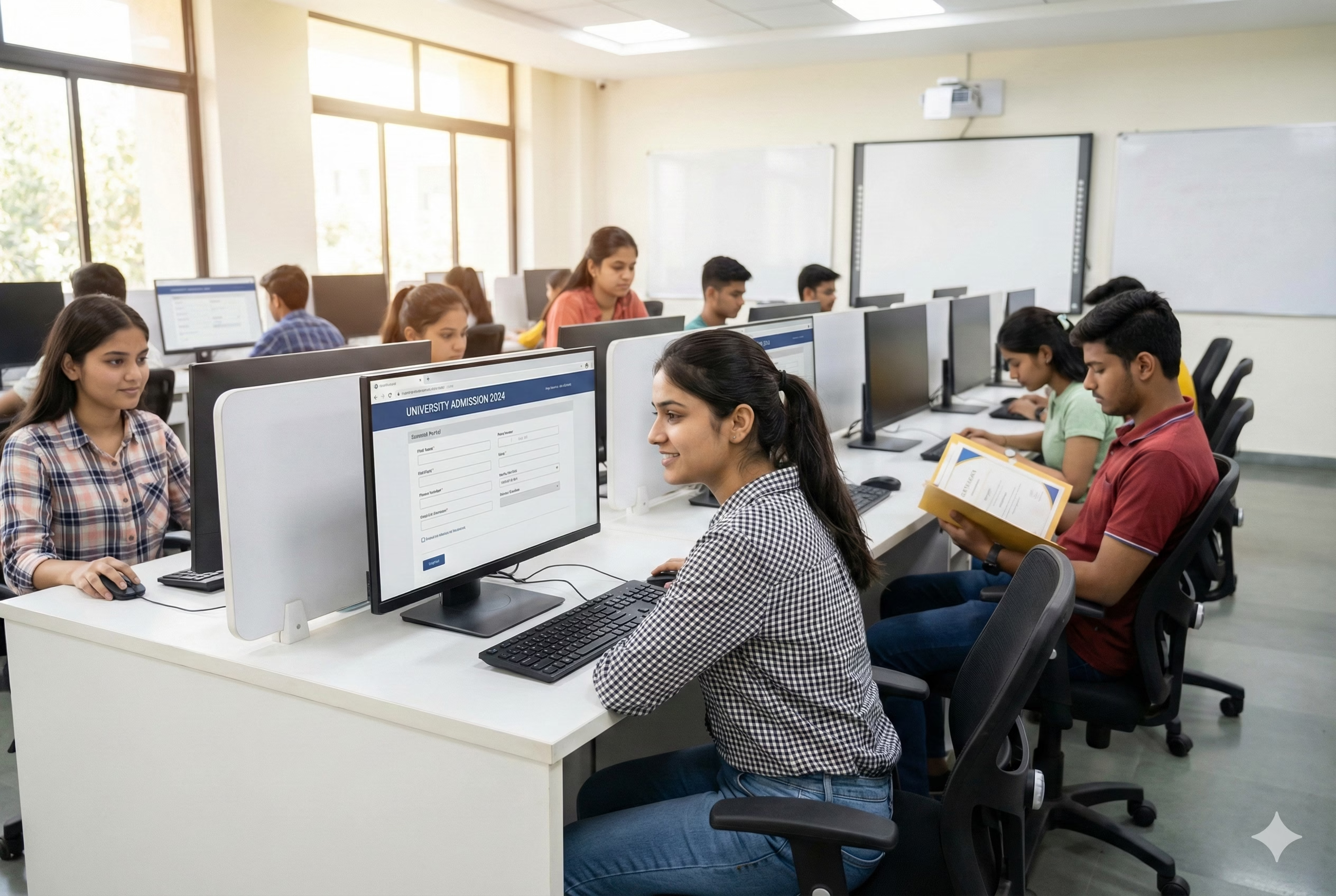
Required Documents for Polytechnic/Diploma Admission
For Fresh Admission (After Class 10th):
- Class 10th mark sheet and passing certificate (original + 2 photocopies)
- Class 10th migration certificate (if changing board/state)
- Transfer certificate from last attended school
- Aadhaar card (mandatory for most states)
- Domicile certificate/Bonafide certificate (for state quota seats)
- Caste certificate (SC/ST/OBC) issued by competent authority – if applicable
- Non-Creamy Layer (NCL) certificate for OBC candidates (issued within current financial year)
- Income certificate (for fee concession/scholarship)
- Disability certificate (if applicable, minimum 40% disability)
- EWS certificate (for Economically Weaker Section quota)
- Passport size photographs (6-8 recent color photos)
- Aadhaar-linked mobile number for OTP verification
For Lateral Entry (After Class 12th/ITI):
- Class 12th mark sheet (with Physics, Chemistry, Mathematics for engineering diploma)
- ITI certificate and mark sheets (for ITI candidates)
- All documents mentioned above for fresh admission
- Gap certificate (if there is a gap year between 12th and admission)
Additional Documents for Counselling:
- Entrance exam admit card and scorecard (if applicable)
- Allotment letter (generated after online counselling)
- Original documents for verification at reporting center
- Demand draft/online payment receipt for course fees
Online Application Process (Step-by-Step)
Step 1: Identify Your State’s Admission Portal
Polytechnic admissions in India are conducted state-wise. Each state has its own entrance examination and admission portal:
Major State Portals:
- Delhi: Delhi CET Polytechnic – https://www.delhi.gov.in/CetCell/
- Maharashtra: DTE Maharashtra – https://fe2024.dtemaharashtra.gov.in/
- Uttar Pradesh: JEECUP – https://jeecup.admissions.nic.in/
- Karnataka: DCET – https://kea.kar.nic.in/
- Tamil Nadu: TNPOLYCET – https://www.tngasa.org.in/
- West Bengal: JEXPO – https://wbscte.co.in/
- Rajasthan: DTE Rajasthan – https://www.polyadmission.nic.in/
- Gujarat: ACPDC Gujarat – https://acpdc.in/
- Madhya Pradesh: DTE MP – https://www.dte.mponline.gov.in/
Step 2: Registration on the Portal
- Visit the official state polytechnic admission website (use exact URL from list above for your state)
- Click on “New Registration” or “Register” button (usually prominently displayed on homepage)
- Enter basic details:
- Full name (as per Class 10th certificate)
- Date of birth
- Father’s/Guardian’s name
- Mobile number (Aadhaar-linked preferred)
- Email ID (valid and active)
- Category (General/SC/ST/OBC/EWS)
- Mobile/Email verification:
- OTP will be sent to registered mobile
- Enter 6-digit OTP within time limit (usually 10 minutes)
- Verify email by clicking link sent to inbox
- Create login credentials:
- System generates application number/registration ID
- Create password (8-12 characters with alphanumeric + special characters)
- Note down registration ID and password securely
- Complete registration – You’ll receive confirmation SMS/email with registration number
Step 3: Login and Fill Application Form
- Login to portal using Registration ID and password
- Personal Information section:
- Upload scanned passport photo (JPG format, 10-50 KB, white background)
- Upload signature (JPG format, 10-30 KB)
- Enter Aadhaar number (12-digit, verify carefully)
- Aadhaar OTP verification
- Academic Details:
- Class 10th board name
- Roll number, year of passing
- Marks obtained (subject-wise)
- Percentage calculation (auto-filled in most portals)
- Upload Class 10th mark sheet (PDF, max 200 KB)
- Address Details:
- Permanent address with PIN code
- Correspondence address
- District, block, village/city details
- Category and Reservation:
- Select category (General/SC/ST/OBC-NCL/EWS)
- Upload caste certificate if applicable (PDF, max 200 KB)
- Person with disability (PwD) – Yes/No
- Upload disability certificate if applicable
- Course Preferences:
- Select diploma branches (Engineering/Pharmacy/Architecture/Hotel Management)
- Choose specific streams (Mechanical/Civil/Computer Science/Electrical/Electronics etc.)
- Fill choice of colleges (usually 50-100 options allowed)
- Priority order matters – fill carefully
Step 4: Upload Documents
Required document uploads (specifications vary by state, but generally):
- Photograph: 3.5 cm × 4.5 cm, JPG, 10-50 KB, white background, recent
- Signature: Black ink on white paper, JPG, 10-30 KB
- Class 10th mark sheet: PDF/JPG, max 200-500 KB, clear scan
- Caste certificate: PDF, max 200 KB (SC/ST/OBC only)
- Domicile certificate: PDF, max 200 KB
- Disability certificate: PDF, max 200 KB (if applicable)
- Income certificate: PDF, max 200 KB (if claiming fee concession)
Important: Scan all documents in color, ensure text is readable, file size within limits
Step 5: Preview and Submit
- Click “Preview Application” – carefully review all entered information
- Check for errors – spelling mistakes, wrong dates, incorrect marks
- Edit if needed – use “Edit” button to make corrections
- Declaration checkbox – tick “I hereby declare all information is correct”
- Submit application – click “Final Submit” button
- Confirmation page appears with application number
Step 6: Fee Payment
- Application fee (varies by state and category):
- General/OBC: ₹300-₹500
- SC/ST: ₹150-₹250 (or exempted in some states)
- PwD: Usually exempted
- Payment modes available:
- Net Banking (SBI, ICICI, HDFC, Axis, PNB, etc.)
- Credit/Debit Card (Visa, MasterCard, RuPay)
- UPI (Google Pay, PhonePe, Paytm)
- E-challan (download and pay at designated bank)
- Payment process:
- Select payment mode
- Enter payment details
- Complete transaction
- Save payment receipt/transaction ID
- Confirmation SMS sent after successful payment
Step 7: Download Application Form and Admit Card
- Login to portal after 24 hours of payment
- Download submitted application (PDF format)
- Print 2-3 copies for future reference
- Admit card download (available 7-10 days before entrance exam if applicable):
- Login to portal
- Click “Download Admit Card”
- Print on A4 size paper (color/black & white)
- Carry to examination center with valid photo ID
Offline Application Process (Where Available)
Some states still accept offline applications. Here’s the general process:
Step 1: Obtain Application Form
- Visit nearest District Education Office or Polytechnic Institute
- Purchase application form (₹300-₹500) from designated bank/counter
- Or download form from official website and take printout
Step 2: Fill Application Form Manually
- Use black/blue pen only
- Write in CAPITAL LETTERS
- Fill all mandatory fields marked with asterisk (*)
- No overwriting or cutting – use correction fluid if mistake made
- Paste recent passport photo at designated place
- Sign at all required places
Step 3: Attach Documents
- Photocopy of Class 10th mark sheet (attested by Gazetted Officer)
- Photocopy of caste certificate (attested, if applicable)
- Photocopy of domicile certificate (attested)
- 2 passport size photos (signed on back)
- Demand draft for application fee (favoring “Director, Technical Education [State Name]”)
Step 4: Submission
- Submit at District Education Office or designated facilitation center
- Collect acknowledgement receipt with application number
- Note down important dates for counselling
Step 5: Offline Counselling
- Physical reporting at designated centers on allotted date
- Document verification by officials
- Choice filling on computer terminal (assistance available)
- Seat allotment on same day or notified later
Entrance Examination Process (State-wise)
Most states conduct entrance exams for polytechnic admission:
Common Entrance Tests:
- JEECUP (Uttar Pradesh): 100 questions, 3 hours, OMR-based
- JEXPO (West Bengal): 100 MCQs, 2 hours
- TNPOLYCET (Tamil Nadu): 150 questions, 3 hours
- Karnataka DCET: 180 questions, 3 hours
- POLYCET (Andhra Pradesh/Telangana): 120 questions, 2 hours
Exam Pattern:
- Subjects: Mathematics (40-50%), Physics (25-30%), Chemistry (25-30%)
- Negative marking: Usually NO negative marking
- Mode: Offline OMR or Online Computer-Based Test (CBT)
- Language: English, Hindi, and regional languages
Exam Preparation:
- Syllabus based on Class 10th mathematics and science
- Practice previous year question papers (available on official websites)
- Focus on 10th NCERT mathematics, physics, chemistry
Counselling and Seat Allotment Process
Online Counselling Procedure:
Round 1 – Choice Filling:
- Login to counselling portal with rank/registration number
- Check merit list and your rank
- Fill course and college preferences:
- Up to 50-200 choices allowed (state-specific)
- First preference gets highest priority
- Include safe options in lower preferences
- Lock choices before deadline (cannot change after locking)
- Save and submit
Round 2 – Seat Allotment:
- Seat allotment result published on portal (check on notified date)
- Download allotment letter if seat allocated
- Allotment letter contains:
- Allotted college name and code
- Course/branch name
- Reporting date and time
- Documents required for reporting
- Fee payment details
Round 3 – Physical Reporting:
- Visit allotted college within reporting dates (usually 3-5 days)
- Document verification:
- Original certificates shown and verified
- Photocopies submitted
- Affidavits if required (gap certificate, etc.)
- Fee payment:
- First installment/full year fee
- Payment modes: DD/Cash/Online
- Collect fee receipt
- Admission confirmation – admission letter issued
Subsequent Rounds:
- If seat not allotted in Round 1, participate in Round 2, 3 (spot rounds)
- If want to upgrade college/branch, participate in subsequent rounds
- Can freeze or float seat (floating allows upgrade, freezing confirms admission)
How to Check Application Status and Track Admission
Application Status Check:
- Visit official state polytechnic portal
- Click “Check Application Status” or “Track Application”
- Enter Registration Number/Application Number
- Enter Date of Birth or Password
- Click “Submit”
- Status displayed: “Submitted”, “Payment Pending”, “Payment Received”, “Under Verification”
Admit Card Status:
- Login to portal
- Click “Download Admit Card” section
- If available, download button appears
- If not available, status shows “Not Yet Released”
Result and Rank Check:
- Visit official portal on result declaration date
- Click “Result” or “Merit List”
- Enter Roll Number/Registration Number
- Enter Date of Birth
- Result shows: Marks, Rank, Category Rank, Qualifying Status
Seat Allotment Status:
- Login during counselling period
- Click “Allotment Result”
- Enter registration details
- Allotment status shows: “Allotted” (college and course details), “Not Allotted” (wait for next round), “Upgraded” (better preference allotted)
SMS Alerts: Register mobile number to receive automatic SMS updates for application status, result, counselling dates, and seat allotment.
Common Problems and Solutions
1. Problem: Unable to Upload Documents – “File Size Too Large” Error
Solution:
- Compress image/PDF using online tools (ilovepdf.com, smallpdf.com)
- Reduce resolution of scanned document (150 DPI sufficient)
- Convert color scan to grayscale if allowed
- Use mobile apps like CamScanner to create compressed PDF
- Ensure format is correct (JPG for photo, PDF/JPG for certificates)
- Maximum size: 50 KB for photo, 200-500 KB for documents
2. Problem: OTP Not Received on Mobile/Email
Solution:
- Check if mobile number entered correctly (no extra spaces)
- Ensure Aadhaar-linked mobile number used
- Check spam/junk folder for email OTP
- Try “Resend OTP” button after 2 minutes
- Clear browser cache and cookies, try again
- Use different browser (Chrome, Firefox, Edge)
- Check mobile network connectivity
- Wait 5-10 minutes and try again during non-peak hours
- Contact helpline if OTP not received after multiple attempts
3. Problem: Payment Successful But Status Shows “Payment Pending”
Solution:
- Wait for 24-48 hours for bank reconciliation
- Check bank account – if amount debited, payment is successful
- Save payment transaction ID/reference number
- Take screenshot of payment success page
- Login after 24 hours – status usually updates automatically
- If still showing pending after 48 hours, raise grievance on portal
- Submit payment proof (screenshot, transaction ID) via grievance system
- Contact helpline with transaction details
- DO NOT make duplicate payment before confirmation
4. Problem: Application Form Submitted But Want to Make Corrections
Solution:
- Most portals allow correction window after final submission
- Check “Important Dates” for correction period (usually 3-5 days)
- Login during correction window
- Click “Edit Application” or “Make Corrections”
- Limited fields are editable (name, date of birth usually locked)
- Correction fee may apply (₹100-₹200)
- Save changes and re-submit
- If correction window closed, submit grievance with supporting documents
- For critical errors (name spelling, DOB): Contact admission authority with affidavit and original certificates
5. Problem: Forgot Registration Number or Password
Solution:
- Click “Forgot Registration ID” on login page
- Enter registered mobile number and email
- Registration ID sent via SMS/email
- For password reset: Click “Forgot Password”
- Enter Registration ID and registered mobile
- OTP sent to mobile for verification
- Create new password after OTP verification
- If mobile/email not accessible, contact helpline with details:
- Full name as in 10th certificate
- Date of birth
- Father’s name
- Class 10th roll number
- Helpline will verify and provide registration details
6. Problem: Seat Not Allotted in Counselling Despite Good Rank
Solution:
- Check if all documents uploaded correctly during registration
- Verify if category certificate is valid (OBC-NCL within financial year)
- Ensure choice filling done properly (sufficient choices filled)
- Participate in subsequent counselling rounds
- Check cutoff ranks of previous year for reference
- Consider sliding round/spot admission
- Visit helpdesk during spot counselling with original documents
- Check if any seat left vacant in mop-up round
State-wise Variations and Important Points
Maharashtra (DTE):
- CAP rounds conducted online for all engineering diplomas
- Direct Second Year (DSY) for 12th passed students
- Orphan quota, Defense quota available
- Institute-level seats also available after CAP rounds
Uttar Pradesh (JEECUP):
- Online counselling mandatory
- JEECUP exam compulsory for government college admission
- Private colleges may have management quota
- Special UP domicile quota (85% seats reserved for UP students)
Delhi (Delhi CET):
- 85% seats for Delhi students, 15% outside Delhi
- CET exam compulsory for all
- Single girl child quota available
- PWD reservation 5%
Karnataka (KEA):
- DCET exam for diploma admission
- COMEDK conducts separate exam for private colleges
- Rural quota (15%) available
- Hyderabad-Karnataka region reservation
Tamil Nadu (TNPOLYCET):
- Government quota: 7.5% for government school students
- Vocational stream students have separate quota
- Community reservation (69%) applicable
Official Helpline Numbers and Contact Information
Central Helpline:
- National Scholarship Portal Technical Support: 0120-6619540
- UGC Student Helpline: 1800-111-656
State-wise Helplines:
Delhi: 011-23465804, 011-23465805, Email: dce.admissions@gmail.com
Maharashtra DTE: 022-22625261, Toll-free: 1800-102-2714, Email: grievance.dte@maharashtra.gov.in
Uttar Pradesh JEECUP: 0522-2336851, 0522-2337851, Email: jeecup@nic.in
Karnataka KEA: 080-22269276, Email: keahelpline@gmail.com
Tamil Nadu: 044-24321285, Email: tngasa@gmail.com
West Bengal JEXPO: 033-23376672, Email: webscte@gmail.com
Rajasthan DTE: 0141-2706106, Email: admin.dte@rajasthan.gov.in
Gujarat ACPDC: 079-23259019, Email: admission.helpline@gujarat.gov.in
Madhya Pradesh: 0755-2578801, Email: dtebpl@mp.nic.in
Andhra Pradesh POLYCET: 0863-2346666, Email: apsbtet@yahoo.com
Working Hours: Monday to Friday, 10:00 AM to 5:00 PM (Lunch break 1:00-2:00 PM)
Email Response Time: 24-48 hours for general queries, 7 days for grievances
Important Dates to Remember (General Timeline)
- Application Start: March-April (for academic session starting July)
- Application Deadline: May-June
- Admit Card Release: June
- Entrance Exam: June-July
- Result Declaration: July
- Counselling Registration: July-August
- First Round Allotment: August
- Second Round Allotment: August
- Spot/Mop-up Rounds: September
- Commencement of Classes: July-August
Note: Dates vary by state. Check official portal for exact schedule.
Tips for Successful Admission
- Start early – Register as soon as portal opens
- Keep documents ready – All certificates scanned and compressed
- Valid email and mobile – Ensure you have access throughout process
- Multiple payment options – Keep backup payment method ready
- Research colleges – Check college rankings, placements before choice filling
- Fill maximum choices – Don’t limit options, fill 50+ preferences
- Save credentials – Note down registration number, password, transaction IDs
- Regular portal check – Login daily during counselling period
- Original documents – Carry originals during physical reporting
- Deadline awareness – Mark all important dates in calendar
This information is compiled from official state polytechnic admission portals and the Directorate of Technical Education websites as of February 2026. Admission procedures, fee structures, dates, and helpline numbers may change. Always verify current information on your state’s official polytechnic admission portal before applying. For the most accurate and updated information, visit your respective State DTE website or contact the official helpline numbers provided above.
Author

Discover more from Tips Clear - Content For Daily Life
Subscribe to get the latest posts sent to your email.