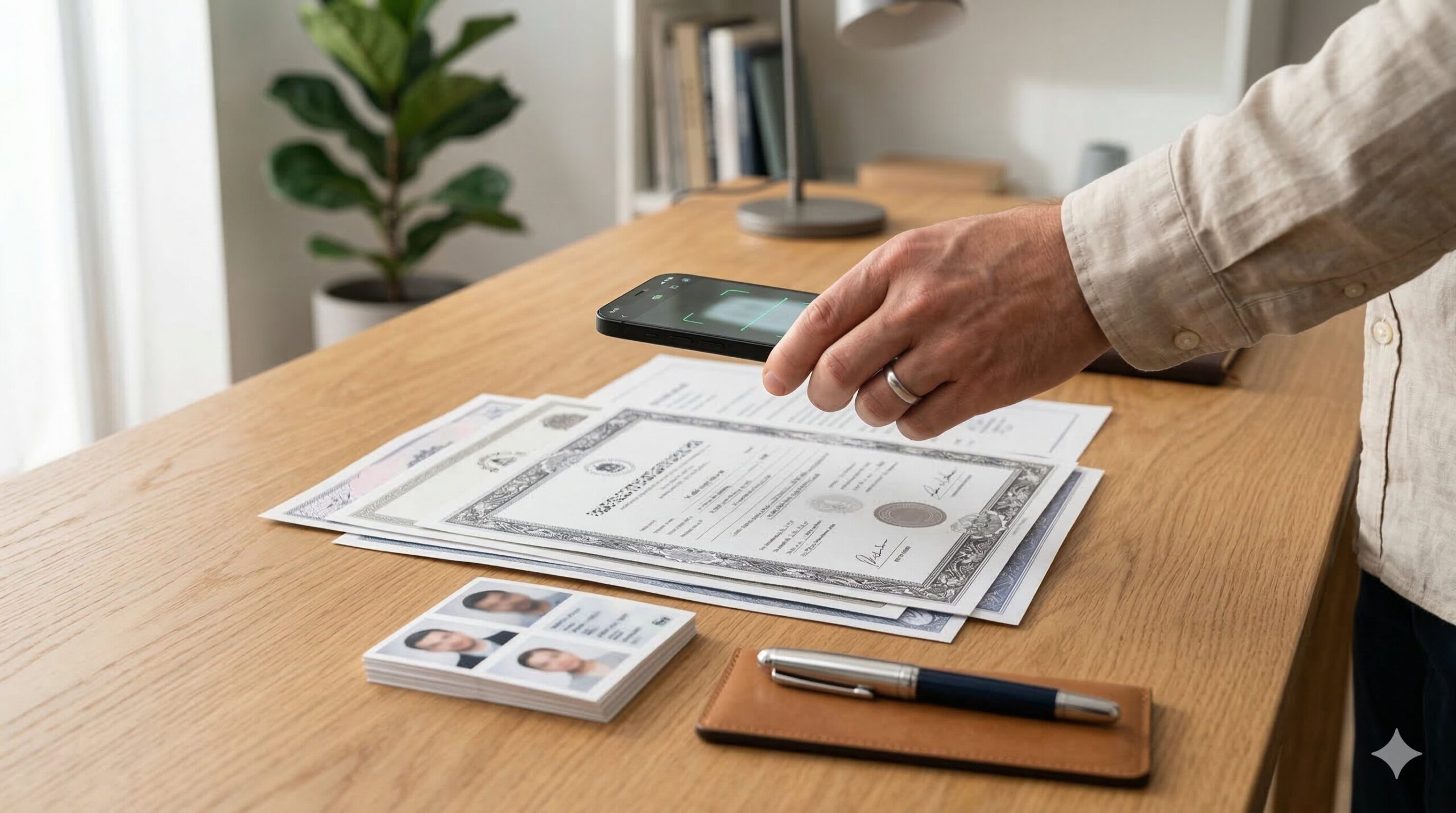
Priya from Nagpur spent three hours making her resume beautiful — gradient header, two-column layout, icons next to her phone number, the whole package. She uploaded it to a state PSU recruitment portal with confidence. It got rejected in the very first screening round. Not because her qualifications were wrong. Because the portal’s document scanner couldn’t read a two-column design.
She called it bad luck. It wasn’t.
The simple resume format for government jobs is not about aesthetics. It’s about legibility — to a human recruiter, to an Applicant Tracking System (ATS), and sometimes to a district-level officer who is literally printing your file. The rules here are different from what you’d use for a startup, and once you understand that difference, you can build one document — or two versions of the same document — that handles both worlds.
Resume, CV, or Biodata — Which One Do They Actually Want?
This is the question nobody asks loudly but everyone gets confused about.
Read the job notification carefully before opening any document editor. If the notification says “biodata” (जीवन परिचय) — that is a structured personal record. It includes your father’s name, mother’s name, date of birth, category (Gen/OBC/SC/ST/EWS), marital status, religion if specifically requested, and a passport-size photograph. State-level recruitment boards, district offices, teaching posts, and many PSUs still use this format. Government forms treat your personality as largely irrelevant. Your paperwork being complete is everything.
If the notification says “resume” or “CV” — it wants a skills-and-experience document. Central PSUs like BHEL, DRDO, ONGC, and ISRO request this when shortlisting for technical or contractual interviews. Many private companies at the entry level expect this format too.
The problem: many district-level and state-level offices use these terms interchangeably. When in doubt, prepare both. It takes maybe 20 extra minutes once you know the structure, and it saves genuine panic on the day of submission.

What You Need Before You Open Word or Google Docs
Get these ready first. Not having them mid-build is how you end up with placeholder text on your final PDF.
For government biodata (बायोडाटा):
- Full legal name (exactly as on Aadhaar / marksheets — no nicknames)
- Father’s name and mother’s name (exact spelling from documents)
- Date of birth (DD/MM/YYYY format, matching your Class 10 certificate)
- Category certificate — OBC/SC/ST/EWS — if applicable
- Marksheet details: Class 10, Class 12, graduation — board/university name, year of passing, marks/percentage (not CGPA unless asked)
- Address — permanent and correspondence, with PIN code
- Two references — professor, principal, or a Gazetted Officer. Never family members
- Passport-size photo: color, white or light background, 3.5 cm × 4.5 cm, taken within the last 3 months
For private entry-level resume:
- Professional email address — not “coolboy1999@gmail.com“
- Mobile number with active SIM (OTP verification comes to this)
- LinkedIn profile URL if you have one
- Internship or project details with dates and outcomes
For online PDF submissions on government portals: File size limit is almost universally under 2 MB. Scan at 150 DPI rather than 300. Use ilovepdf.com or Smallpdf.com to compress if needed. A 4 MB PDF gets silently rejected on many NIC-hosted portals with no error message — you’ll just see your application listed as “incomplete.”
The Actual Structure — Section by Section
There is no single universal template mandated by the Government of India for all posts. But there is a structure that works across SSC, banking, PSU, and entry-level private applications when adapted correctly. Here it is, in order.
1. Header Block
Full name at the top in 14–16pt bold. Nothing fancy — Times New Roman, Arial, or Calibri. Below your name: mobile number, professional email, and city/district.
For government biodata, add your full current address here. For private resumes, city is enough — no need for the full street address.
Photo placement: Top-right corner, same line as your name block. For government applications, this is almost always required. For private company applications, include it only if the job notification specifically asks. A selfie cropped on your phone does not count — I’ve seen verification officers reject otherwise perfect biodatas because the photo was pixelated.
2. Career Objective
Two to three lines. Direct and role-specific.
For government: “To secure a position in [State/Central] government service where I can apply my academic background and administrative skills to contribute effectively to public welfare.”
For private entry-level: “A commerce graduate with working knowledge of Tally and MS Excel, seeking an Accounts Assistant role where I can contribute to financial reporting and data management.”
Avoid words like “dynamic,” “passionate,” or “results-driven.” Recruiters at government departments particularly have zero patience for corporate buzzwords.
3. Educational Qualifications
This section works best as a plain table — four columns: Examination/Degree | Board/University | Year of Passing | Percentage/CGPA.
List from Class 10 onwards, most recent first (reverse chronological). This is non-negotiable for government applications. Every examination, board name, year, percentage, and division must be present. One typo here — especially in percentage — can disqualify you at document verification (प्रमाण पत्र सत्यापन). Your resume must match your marksheets exactly.
If you are currently studying: write “Appearing 2026” with expected completion month. Don’t leave the year blank. Government departments often reject forms where this field is empty.
Avoid merged cells or color-shaded rows in the table. Government portal scanners and basic ATS systems read plain tables much better.
4. Skills
For government applications, focus on:
- Computer proficiency: MS Word, MS Excel, Tally (if commerce background), typing speed in Hindi and/or English (words per minute, tested or self-assessed)
- Language skills: reading, writing, speaking — Hindi, English, regional language
- Certifications: O-Level from NIELIT (https://student.nielit.gov.in) is highly valued for clerical and data entry posts; mention certificate number and year
For private entry-level:
- Add practical soft skills only when you can back them with evidence. “Team player” means nothing. “Led a 6-member project team for our college fest” means something.
- Cap this section at 8–12 bullet points. Not more.
5. Work Experience / Internships
If you have none, skip this section — don’t write “Nil” or leave a blank row. It just draws attention to the gap.
If you have an internship — even a 6-week college-mandated one — describe it in 2–3 lines: company name, role title, duration, and one concrete thing you did. “Assisted in monthly account reconciliation for 200+ vendor entries using Tally ERP9” is infinitely better than “Learned accounting software.”
Ramesh from Coimbatore had only a 2-month NGO internship but described his specific contributions — data entry, beneficiary report compilation — and got shortlisted for a district-level data operator post that attracted 800+ applicants. Concrete detail beats vague tenure every time.
6. Personal Details Block (Government Biodata)
This is where government biodata diverges most sharply from a private resume. For sarkari applications, include:
- Date of Birth
- Father’s Name
- Mother’s Name
- Gender
- Category (General / OBC / SC / ST / EWS / PH / Ex-Serviceman — as applicable)
- Marital Status
- Nationality
- Domicile State
- Languages Known
For private company resumes in 2026: most modern HR departments and ATS platforms have moved away from requiring personal details like DOB, marital status, and father’s name. Include them only if the job advertisement explicitly asks for them.
7. References
Two references with full details: Name | Designation | Organization | Phone | Email. For government applications, one reference should ideally be a Gazetted Officer or a senior faculty member. UPSC verifies references seriously — don’t add a name without actually telling that person you’ve listed them.
8. Declaration (घोषणापत्र)
Every government biodata ends with one. The standard text:
“I hereby declare that the information provided above is true and correct to the best of my knowledge and belief. If any information is found to be incorrect, I shall be liable for disqualification.”
Sign and date below this. Unsigned biodatas are often rejected outright at the preliminary scrutiny stage — this happens more often than you’d think, especially with online applications where candidates forget to upload a signed copy.
Here’s what almost no article mentions: the declaration makes your stated information a legal assertion. If your marksheet shows 68% but you wrote 72% in optimism, that signed declaration is what turns a simple error into a disqualifying offence at document verification. Keep a signed, dated photocopy of every biodata you submit to any government body.
Fees and Timelines — What It Actually Costs
Creating a resume yourself in MS Word or Google Docs costs nothing. Free templates are available on Google Docs (docs.google.com → Template Gallery → Resumes), but choose single-column, minimal ones.
If you want a ready-made biodata maker, ResumeGyani (https://resumegyani.in) offers free editing and preview; PDF download starts at ₹199 (as of March 2026). UP Sarkari Naukri’s free resume maker at https://www.upsarkarinaukri.com/tools/resume-maker generates PDFs at no cost, requires no signup, and works adequately for most state government formats.
For applications themselves — SSC, RRB, UPSC, IBPS — the application form fee varies by post and category:
- SSC CHSL/CGL 2026 application fee: ₹100 for General/OBC; SC/ST/PH/Ex-Servicemen: Nil (as per SSC official notifications at https://ssc.gov.in)
- RRB Group D/ALP: ₹500 for General; ₹250 for SC/ST/EWS/Female/PH/Minority/Economically Backward (as per RRB notifications at https://indianrailways.gov.in)
- IBPS PO/Clerk: ₹850 for General/OBC; ₹175 for SC/ST/PH (as per IBPS notifications at https://www.ibps.in)
Payment modes: Debit card, credit card, net banking, UPI — all major recruitment portals now accept UPI. Challan-based cash payments at bank branches are increasingly being phased out.
How to Submit — Portal-Level Details
Different recruitment bodies have their own portals. For the resume/biodata upload specifically:
- SSC (Staff Selection Commission) — https://ssc.gov.in → “Apply” → Select post → Fill online form → Upload Photo (20–50 KB, JPG) and Signature (10–20 KB, JPG) → Resume/biodata upload is generally NOT required at the form stage; it is asked at document verification after selection
- RRB (Railway Recruitment Board) — https://indianrailways.gov.in → Respective RRB zone site → Online application → Resume not typically required at application stage; biodata format is requested at the document verification stage post-written exam
- IBPS (Banking) — https://www.ibps.in → Register → Fill form → Photo and signature upload only at form stage
- State PSCs / State Boards — These vary. Rajasthan RPSC (https://rpsc.rajasthan.gov.in), UP UPPSC (https://uppsc.up.nic.in), Karnataka PSC (https://kpsc.kar.nic.in) — each has its own portal. Some ask for a resume upload directly; most ask for the biodata only at interview stage.
- Direct/Walk-in applications (district offices, municipal corporations, contract posts) — A printed biodata on A4 paper, single-sided, with passport photo physically pasted (not stapled) is still the norm.
On mobile: most central recruitment portals work on Chrome for Android but can behave oddly on older phones. For photo and signature uploads especially, use a laptop or desktop if available. The file size fields on mobile browsers sometimes show incorrect error messages even when the file is within limits — refreshing and re-uploading usually resolves it.
Common Mistakes and Fixes
❌ Using a two-column or multi-column template ✅ Use a single-column layout. Two-column designs break apart when government portal ATS systems parse them, and they print incorrectly on many department printers.
❌ Uploading a PDF above 2 MB ✅ Compress before uploading. Scan at 150 DPI (not 300). Use ilovepdf.com or Smallpdf.com. Most government portals silently reject large files — you won’t always get an error message.
❌ Writing percentages that don’t match marksheets ✅ Open your actual marksheets while filling the education table. Round down, not up. A 67.8% should be written as 67.8% — or check what your university certificate says, and write exactly that.
❌ Leaving the declaration unsigned on physical submissions ✅ Sign in blue ink (some departments specifically reject black ink signatures — check the notification). For digital submissions, sign on paper, scan, paste the signature image, and export as PDF.
❌ Using the same resume for every application without checking the notification ✅ Some departments ask for specific information fields or even provide a proforma (prescribed format) as an attachment in the notification PDF. Always download and read the full notification — the format is sometimes on page 6 or 8, not page 1.
❌ Submitting on mobile using UC Browser or older browser versions ✅ Chrome (latest version) on Android handles government portal form submissions most reliably. Several NIC-hosted portals have known rendering issues on Firefox Mobile and Samsung Internet.
❌ Adding unnecessary “Hobbies” section with generic interests ✅ Either skip hobbies entirely or list 2–3 that are either genuinely relevant (e.g., “Hindi debate competitions — participated at district level”) or demonstrate a skill. “Listening to music” and “watching movies” add nothing.
What Nobody Tells You
Here is something genuinely useful that most resume guides skip:
For state government applications in UP, Rajasthan, MP, Bihar, and Chhattisgarh — a Hindi-language biodata (हिंदी में बायोडाटा) is perfectly acceptable and in some district-level and block-level posts, it is even preferred. If Hindi is your medium of instruction and you are applying to a state department where Hindi is the official working language, submitting your biodata in Hindi is not a disadvantage. In fact, some officers at the district level respond more positively to applicants who demonstrate Hindi proficiency right from the document stage.
Also: if you are applying to multiple posts simultaneously — say, SSC CGL and a state government clerk post at the same time — do not try to merge the two formats into one universal document. The government format and the PSU/private format are genuinely different enough that one compressed version will be mediocre at both. Two files, saved clearly as “Biodata_GovernmentJobs_2026.pdf” and “Resume_PrivateJobs_2026.pdf,” is the right approach.
A Tale of Two Applications
Anjali from Bhopal, a fresh B.Com graduate, applied for an MPPKVVCL (Madhya Pradesh Power Khilchipur) contractual assistant post and an accounts assistant role at a private logistics firm in the same week. For the MPPKVVCL post, she used a single-column biodata with her father’s name, category certificate details (OBC), Class 10 onwards in a plain table, NIELIT O-Level certification, and a signed declaration. Photo pasted top-right. Submitted as a 1.4 MB PDF. She got a call for document verification.
For the logistics firm, she used a clean single-page resume: two-line objective targeting that specific role, her internship described with one concrete achievement, and her Excel and Tally skills listed with brief examples. No photo, no father’s name, no declaration. She got a call for an interview within 4 days.
Same educational background. Two different documents. Both worked exactly because she matched the format to the audience.
Adjusting the Format for Specific Recruitment Types
SSC (CGL, CHSL, MTS): No resume required at application. A biodata is needed only at the document verification stage after clearing the written exam. Prepare it in advance and keep it ready — you may get as little as 3–5 days’ notice.
Banking (IBPS PO, Clerk, SBI PO): Resume/biodata is not uploaded at the online form stage. Carry a printed copy to the interview. Follow the format on the call letter if one is specified.
PSU technical roles (BHEL, ONGC, DRDO, BEL): These organizations genuinely want a resume, not just a biodata. Include a project summary section if you are an engineering or science graduate. Quantify wherever possible: “Designed a water flow monitoring system that reduced manual inspection by 60%” is better than “Worked on an IoT project.”
Teaching posts (KVS, NVS, State TET-based posts): Biodata format is standard. Add a separate section listing teacher eligibility qualifications: B.Ed year, CTET/STET scores with roll number and marks, teaching subjects, and medium of instruction.
Formatting Rules That Actually Matter
One page is ideal for freshers and candidates with under 2 years of experience. Two pages maximum if you have significant work history. Nobody in a recruitment office at the district level is reading page 3.
Font: Times New Roman 12pt for body text, 14–16pt for your name. Margins: 1 inch on all sides. No text boxes, no columns, no header/footer design elements beyond a simple line. No colors beyond black text on white background for government submissions.
For private company applications, a subtle grey line separator between sections is fine. But even there: single-column, clean, printable.
Save as PDF before submission — not as a .doc file. A .doc file can reformat itself on a different computer, and that carefully aligned photo box will end up somewhere on page 2.
FAQs
What is the difference between a resume and biodata for government jobs?
A resume highlights skills, experience, and objectives in 1–2 pages. A biodata (जीवन परिचय) is a structured personal record that includes father’s name, date of birth, category, marital status, photo, and a signed declaration. Government departments typically require a biodata; private companies want a resume.
Should I include a photo in my government job resume?
Yes, for most government and PSU applications. Use a passport-size color photo, 3.5 cm × 4.5 cm, with a white or light background, taken within the last 3 months. For private sector applications, only include a photo if the job notification specifically asks for one.
How many pages should a fresher’s resume be?
One page is ideal for freshers and recent graduates. Two pages maximum if you have substantial internship or project experience. Keep it focused — government screeners and entry-level HR teams spend very little time on any single application.
Sarkari job resume mein declaration zaruri hai kya?
Haan, almost every government biodata requires a signed declaration at the end. It confirms the accuracy of your information. An unsigned biodata is frequently rejected at preliminary scrutiny. Sign in blue ink on printed copies, and include a scanned signature image for online PDF submissions.
What font and file format should I use for a government job resume?
Use Times New Roman or Arial at 12pt for body text. Save the final document as a PDF. Keep the file under 2 MB — compress using ilovepdf.com if needed. Avoid .doc or .docx submissions unless the notification specifically asks for them.
Can I submit a Hindi-language biodata for state government posts?
Yes, absolutely. For state department posts in UP, MP, Rajasthan, Bihar, and several other Hindi-speaking states, a Hindi-language biodata is acceptable and sometimes preferred for district-level or block-level posts. Match the language to what the department works in.
Do I need to list Class 10 marks even if I’m a graduate?
For government biodata, yes — education must be listed from Class 10 onwards. This is non-negotiable across SSC, banking, PSU, and state PSC applications. For modern private sector resumes targeting MNCs or tech companies, you can skip 10th and 12th marks if you are a graduate, but for entry-level private jobs in traditional industries, including them is still standard.
The document you submit on a government portal is not creative work. It is a formal record. Get the structure right, match it precisely to your actual certificates, keep it under 2 MB, sign the declaration, and submit it before the last date — no server crash excuse works once the clock runs out. Once you’ve built your two versions — biodata and resume — updating them for the next application takes fifteen minutes, not three hours. That’s where Priya from Nagpur is now.
Chinnagounder Thiruvenkatam — Editor at Tips Clear. Our team researches official government notifications, tests portal submission processes on both mobile and desktop, and updates guides when recruitment board formats or portal interfaces change. We rely on official sources including ssc.gov.in, indianrailways.gov.in, ibps.in, and respective state PSC portals. This content is educational and should not be treated as legal or career advice. Resume and biodata requirements vary by post, department, and notification year — always refer to the official job notification for the exact format and attachments required for each specific application.
Discover more from Tips Clear - Content For Daily Life
Subscribe to get the latest posts sent to your email.