Who Needs This Service?
Eligibility:
- Students, employers, educational institutions, or any individual who needs to verify the authenticity of school leaving certificates, transfer certificates, or board examination certificates (Class 10th, 12th) issued by recognized education boards in India.
- Applicable for certificates issued by CBSE, ICSE, state boards, and other recognized educational boards across India.
Required Documents
- Original certificate or certificate details (Roll Number, Year of Passing, Registration Number)
- School/Institution Code (if verifying through board portals)
- Student’s Name as mentioned in the certificate
- Date of Birth of the student
- Examination details (Month and Year of examination)
- Board Name (CBSE, ICSE, or specific state board)
- Marksheet Number or Certificate Number (if applicable)
- Valid Email ID and Mobile Number for some verification portals
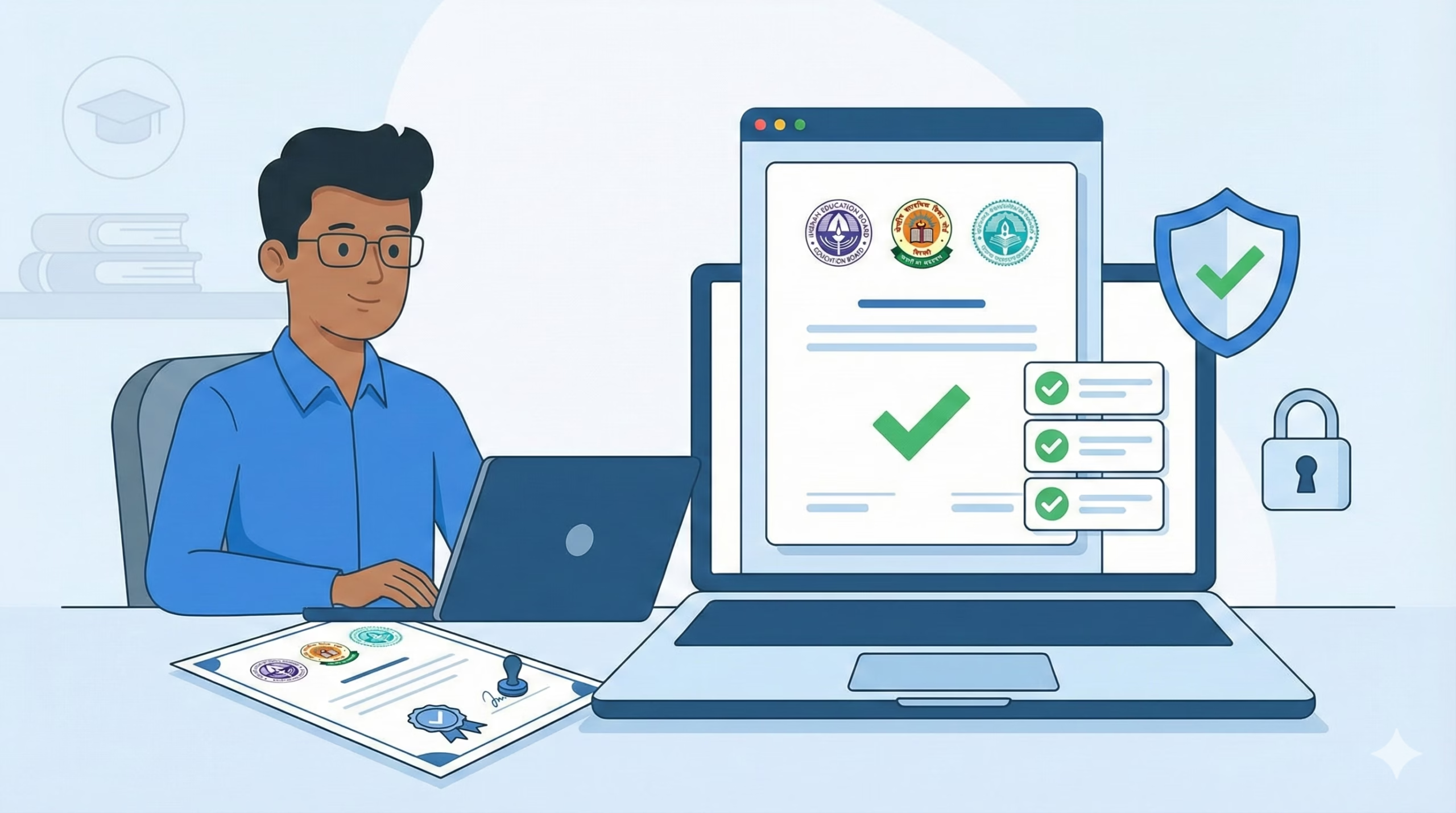
Online Verification Process
For CBSE Certificates
1. Visit the Official CBSE Portal: Go to https://www.cbse.gov.in or directly access the verification portal at http://cbse.nic.in/newsite/documents.html
2. Navigate to Certificate Verification Section:
- On the homepage, locate the “Examination” menu
- Click on “Verification of Certificates/Documents”
- You’ll be redirected to the verification page
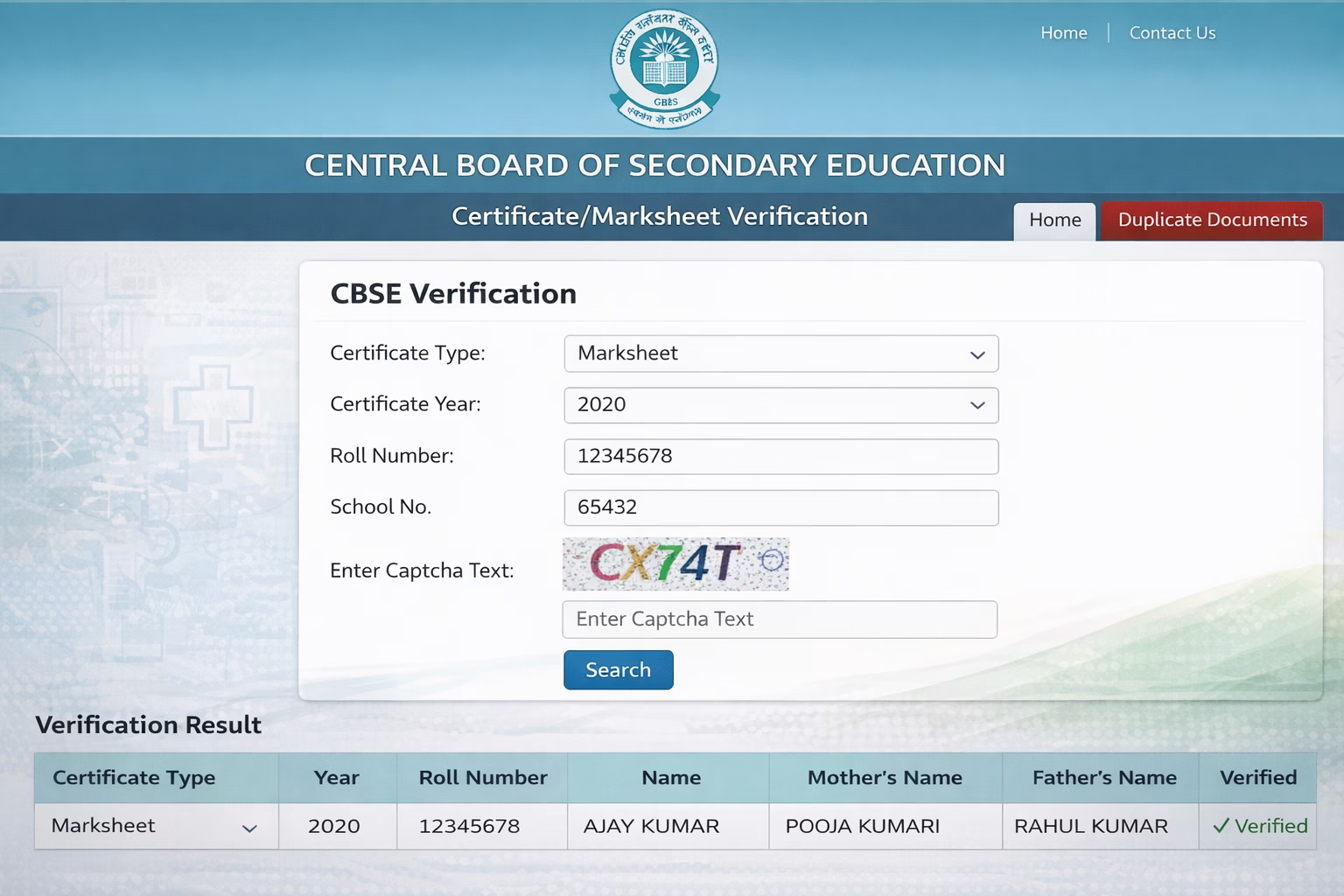
3. Enter Required Details:
- Select the type of document (Class X Certificate, Class XII Certificate, Migration Certificate, etc.)
- Enter Roll Number exactly as mentioned in the certificate
- Enter Year of Passing (select from dropdown)
- Enter School Number (6-digit code on certificate)
- Fill in the Captcha code displayed
4. Submit and View Results:
- Click “Search” or “Verify” button
- The system displays certificate details including student name, father’s name, date of birth, subjects, and marks obtained
- Cross-verify all details with your physical certificate
- Take a screenshot for your records
For ICSE/ISC Certificates (CISCE)
1. Access CISCE Verification Portal: Visit https://www.cisce.org and navigate to “Verification of Certificates” or directly go to https://www.cisce.org/verify-certificates.aspx
2. Choose Certificate Type:
- Select whether you’re verifying ICSE (Class X) or ISC (Class XII) certificate
- Click on the relevant verification link
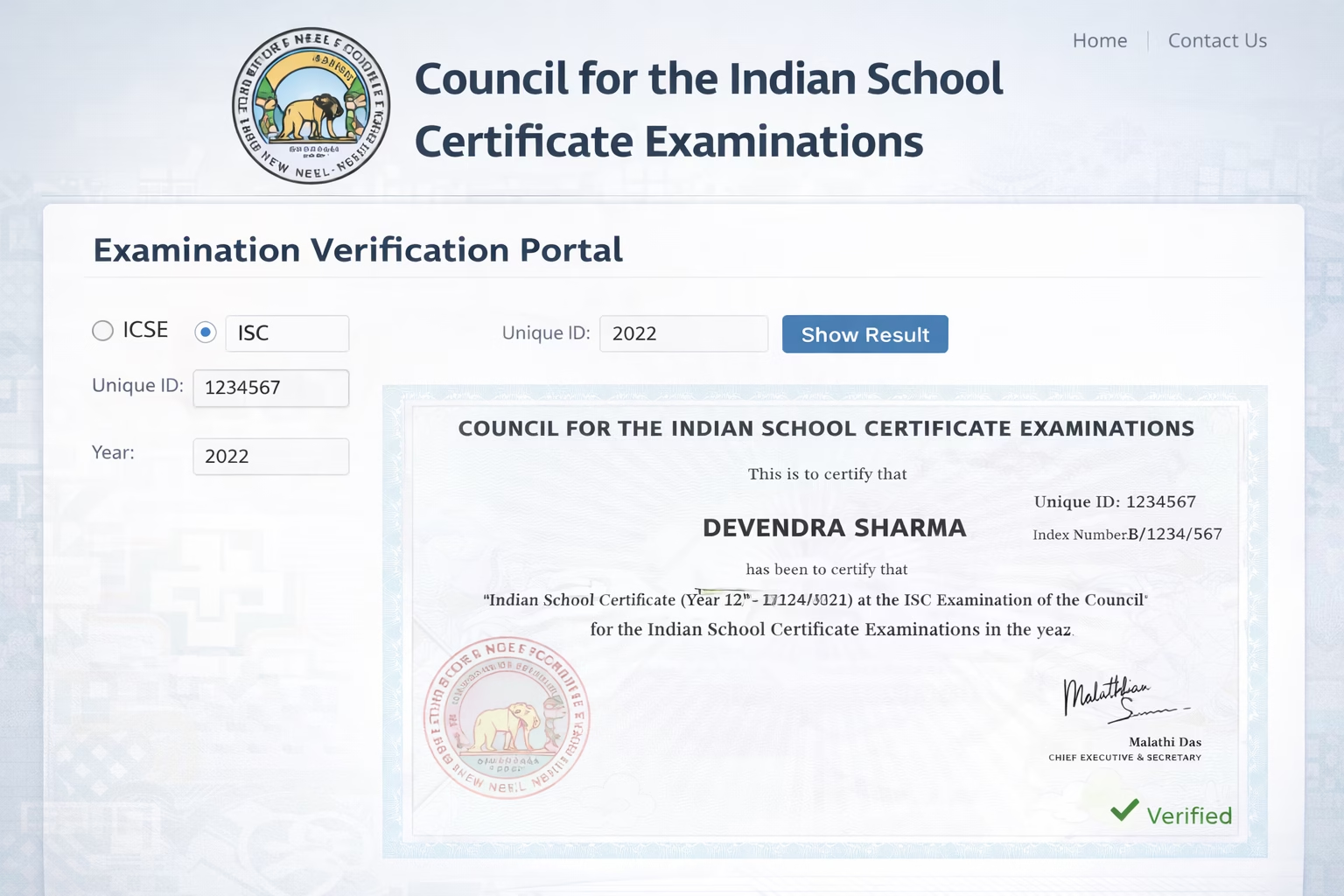
3. Enter Candidate Details:
- Input Unique ID or Index Number from the certificate
- Enter Year of Examination
- Provide Candidate Name as per certificate
- Complete Captcha verification
4. Retrieve Verification Details:
- Click “Verify” button
- System displays student information, school details, and examination results
- Compare displayed information with original certificate
For State Board Certificates
Maharashtra State Board (MSBSHSE)
1. Visit Official Portal: Go to https://mahahsscboard.in
2. Access Results/Verification Section:
- Click on “Examination” menu
- Select “Result Verification” or “Certificate Verification”
3. Enter Details:
- Seat Number
- Mother’s First Name
- Date of Birth
- Captcha code
4. View Certificate Details: System displays complete marksheet and certificate information
Uttar Pradesh Board (UPMSP)
1. Go to UPMSP Portal: Visit https://upmsp.edu.in
2. Navigate to Verification:
- Click “Services” or “Verification” section
- Select certificate type (High School/Intermediate)
3. Provide Information:
- Roll Number
- Year of examination
- School code
- Captcha
4. Verify Results: Complete certificate details appear on screen
Karnataka State Board (KSEEB)
1. Access Portal: https://kseeb.kar.nic.in
2. Certificate Verification:
- Go to “Examination” section
- Click “Verification of Marks Cards”
3. Input Details:
- Register Number
- Year
- Captcha
4. Retrieve Information: System shows marks card details
Tamil Nadu Board (TNBSE)
1. Visit: https://www.tnschools.gov.in or https://dge.tn.gov.in
2. Verification Process:
- Access “Examination Services”
- Select “Certificate Verification”
3. Enter:
- Register Number
- Date of Birth
- Year of passing
4. View Results: Certificate details displayed
West Bengal Board (WBBSE/WBCHSE)
1. Portal Access: https://wbbse.wb.gov.in (for Madhyamik) https://wbchse.nic.in (for Higher Secondary)
2. Verification Steps:
- Click on verification link
- Enter Roll Number and year
- Submit for verification
DigiLocker Method (Universal for All Boards)
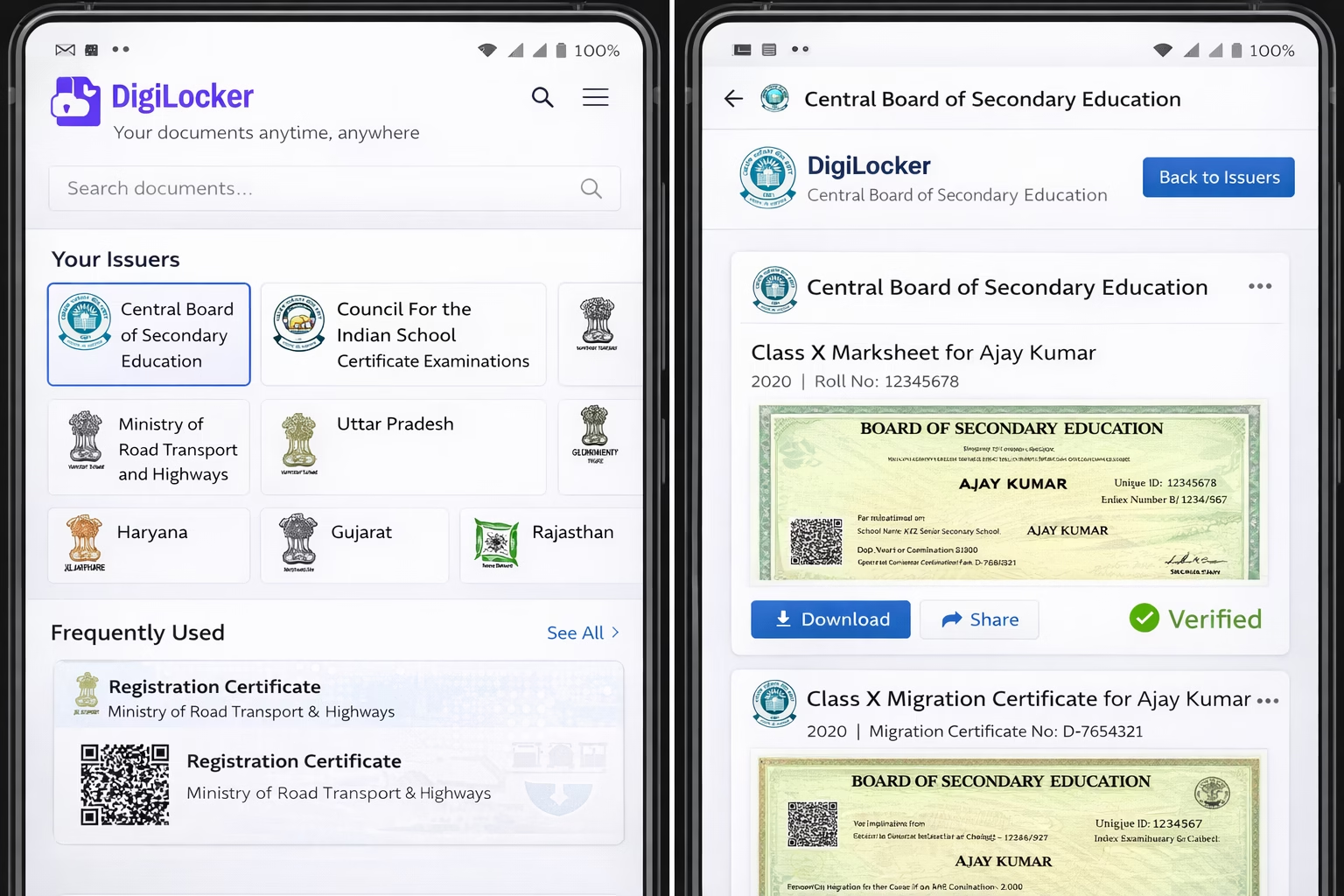
1. Download DigiLocker App or Visit Website: https://www.digilocker.gov.in
2. Register/Login:
- Click “Sign Up” if new user
- Enter Aadhaar Number
- Verify via OTP sent to registered mobile
- Create Username and Password
- For existing users, simply login
3. Access Education Documents:
- After login, click on “Issued Documents” section
- Look for education boards in the issuers list
- Click on respective board (CBSE, CISCE, or state board)
4. Retrieve Certificates:
- Select certificate type (Class X/XII)
- System fetches certificates linked to your Aadhaar
- View, download, or share digitally verified certificates
- These carry digital signatures and are legally valid
National Academic Depository (NAD)
1. Visit NAD Portal: https://nad.gov.in
2. Access Verification:
- Click “Verify Documents” on homepage
- No registration required for verification
3. Enter Document ID:
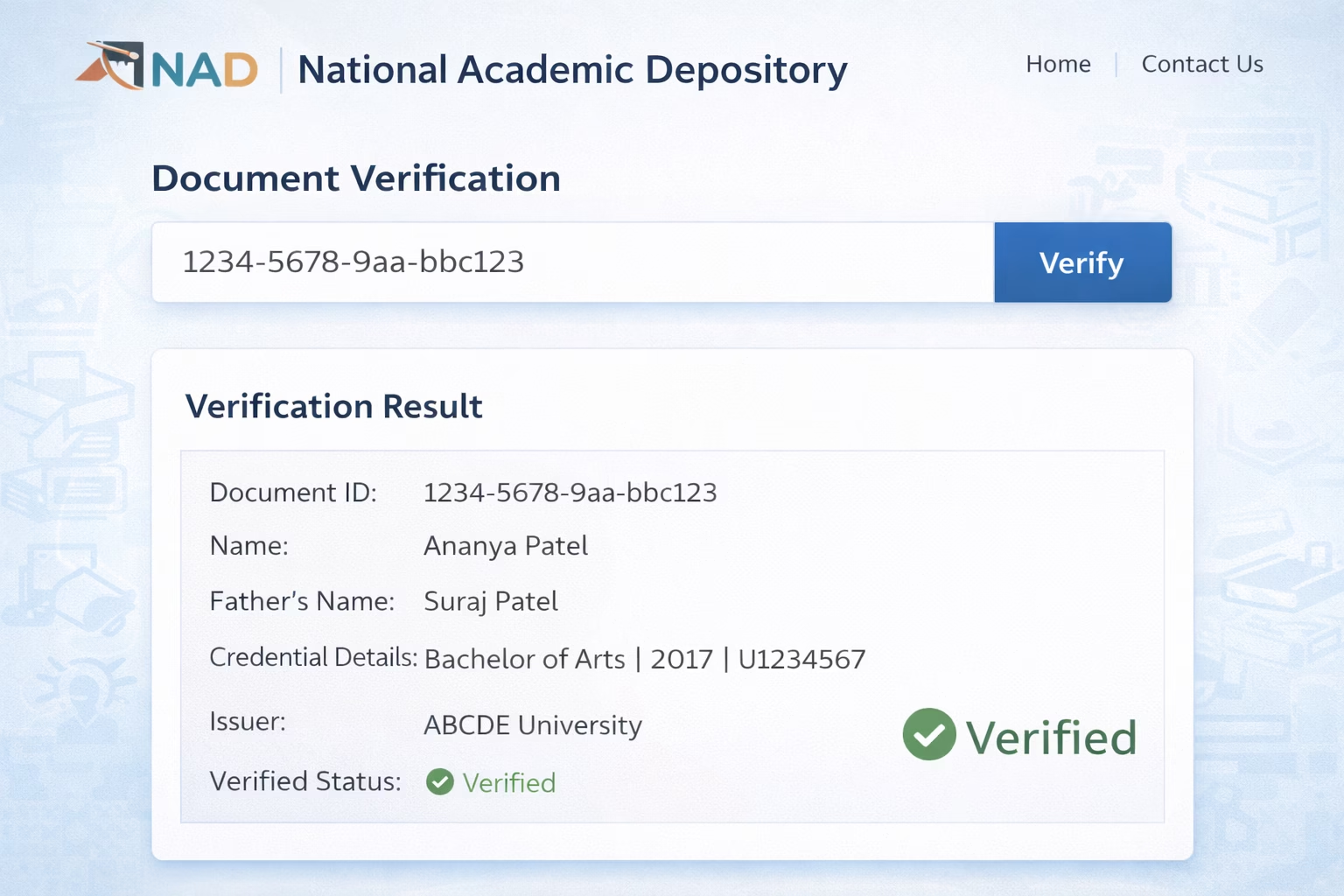
- Input the NAD Document ID from the certificate
- This 12-16 digit unique ID is printed on NAD-enabled certificates
- Enter Captcha
4. View Verified Details:
- System displays complete certificate details
- Shows verification status with digital signature
- Educational institutions can request bulk verification
Offline Verification Process
At Board Offices
1. CBSE Regional Offices:
Delhi (Head Office):
- Address: Shiksha Kendra, 2, Community Centre, Preet Vihar, Delhi-110092
- Timing: 9:30 AM to 5:30 PM (Monday to Friday)
- Process: Submit application form with certificate copy and ID proof
- Fee: ₹500 per certificate (demand draft in favor of Secretary, CBSE)
- Processing Time: 7-10 working days
Regional Offices: Available in Ajmer, Allahabad, Bhubaneswar, Chennai, Dehradun, Guwahati, Panchkula, Patna, Thiruvananthapuram (visit https://cbse.gov.in for complete addresses)
2. CISCE Office:
- Address: Council for the Indian School Certificate Examinations, Pragati House, 3rd Floor, 47-48, Nehru Place, New Delhi – 110019
- Timing: 9:30 AM to 5:00 PM (Monday to Friday)
- Fee: ₹1000 per certificate
- Requirement: Written application with certificate details and identity proof
3. State Board Offices:
Visit respective state board headquarters:
- Carry original certificate or attested copy
- Government-issued ID proof (Aadhaar/Voter ID/Driving License)
- Application form (available at office or downloadable from website)
- Demand Draft for verification fee (₹200-₹500 depending on state)
- Processing time: 5-15 working days
At Schools/Institutions
1. Visit Your Alma Mater:
- Contact school administrative office
- Request verification letter on school letterhead
- School verifies from records and issues signed letter
- Free or nominal fee (₹50-₹100)
2. Required for School Verification:
- Application mentioning purpose of verification
- Copy of certificate to be verified
- ID proof
- Processing: 2-7 days depending on record availability
How to Check Status/Track Verification Request
For Online Verifications:
- Instant Results: CBSE, ICSE, state boards, NAD provide immediate verification on their portals
- No tracking needed as results appear instantly after entering details
- If verification fails, re-check entered details for accuracy
For Offline Applications:
CBSE:
- Reference Number provided at submission
- Check status: Email to cbseregional@gmail.com with reference number
- Call respective regional office
CISCE:
- Contact via email: info@cisce.org with application reference
- Call: 011-26413820
State Boards:
- Visit board website and check “Application Status” section if available
- Use acknowledgment receipt number
- Contact board office directly with receipt number
DigiLocker Documents:
- Once linked to Aadhaar, certificates appear automatically
- No separate tracking required
- Refresh “Issued Documents” section to see newly added certificates
Common Problems and Solutions
1. “Certificate Not Found” or “No Record Available”
Causes:
- Incorrect Roll Number or Year entered
- Certificate not yet uploaded to digital database
- School code entered incorrectly
- Certificate issued before digitization period (pre-2000 for many boards)
Solutions:
- Double-check all entered details against original certificate
- Ensure proper format (some boards use specific formats like 7-digit roll numbers)
- For old certificates (before 2000), use offline verification method
- Verify school code is correct (6-digit for CBSE, varies for state boards)
- Contact board office if details are correct but verification fails
- Use alternative method: DigiLocker or NAD if certificate is available there
2. Name Mismatch or Incorrect Details Displayed
Causes:
- Spelling variations in name
- Database entry errors by board
- Certificate details not matching current legal name (post-marriage name change, etc.)
Solutions:
- If minor spelling difference, obtain affidavit stating both names refer to same person
- For significant errors, apply for correction to board office with:
- Original certificate
- Birth certificate/Aadhaar as proof of correct details
- Application form for name correction
- Fee (₹500-₹1500 depending on board)
- Processing time for corrections: 30-90 days
- Meanwhile, use gazette notification or affidavit for urgent requirements
3. Portal Not Loading or Technical Errors
Causes:
- Server overload during result periods
- Browser compatibility issues
- Poor internet connection
- Website maintenance
Solutions:
- Try during off-peak hours (early morning or late evening)
- Clear browser cache and cookies
- Use different browsers (Chrome, Firefox, Edge)
- Try from different device or network
- Use mobile app versions if available (DigiLocker app)
- Wait for 2-3 hours if server maintenance message appears
- Use alternative portals (e.g., try DigiLocker if board portal fails)
4. DigiLocker Not Showing Certificates
Causes:
- Aadhaar not linked with education records
- Certificate issued before DigiLocker integration
- Name/DOB mismatch between Aadhaar and certificate
Solutions:
- Ensure Aadhaar details match exactly with certificate (name, DOB)
- For CBSE: Visit https://www.cbse.gov.in and link Aadhaar using Class X/XII roll number
- For CISCE: Email cisce@cisce.org requesting DigiLocker linking
- For State Boards: Check respective board website for Aadhaar linking process
- Some boards require manual request for DigiLocker integration
- Old certificates may need manual upload request to board
5. Employer/University Not Accepting Online Verification
Causes:
- Institution requires physical verification letter
- Lack of awareness about digital verification validity
- Specific format requirements
Solutions:
- Download verification screenshot with timestamp
- For CBSE: Generate verification report from portal showing authentication
- For NAD certificates: Download digitally signed PDF which is legally valid
- Request board office for physical verification letter (offline process)
- Submit application online/offline
- Pay fee (₹500-₹1000)
- Receive stamped letter in 7-10 days
- Show employer/university the official circular from UGC/AICTE recognizing DigiLocker and NAD documents
- Reference: UGC notification dated 29th May 2019 recognizing digital documents
Official Helpline Numbers and Contact
CBSE
- Toll-Free: 1800-11-8004
- Email: cbseregional@gmail.com, cbse.jexam@nic.in
- Timing: 8:00 AM to 8:00 PM (Monday to Saturday)
- Website: https://www.cbse.gov.in
- Postal Address: Secretary, CBSE, Shiksha Kendra, 2, Community Centre, Preet Vihar, Delhi-110092
CISCE
- Phone: 011-26413820, 011-26410968
- Email: info@cisce.org, council@cisce.org
- Website: https://www.cisce.org
- Timing: 9:30 AM to 5:00 PM (Monday to Friday)
- Address: Pragati House, 3rd Floor, 47-48, Nehru Place, New Delhi-110019
DigiLocker
- Helpline: 1800-270-0610 (Toll-Free)
- Email: support@digilocker.gov.in
- Website: https://www.digilocker.gov.in
- Timing: 24×7
- Alternative: Submit grievance through portal itself
National Academic Depository (NAD)
- Email: nad@nsdl.co.in, support.nad@nsdl.co.in
- Website: https://nad.gov.in
- Phone: 022-24994200
- Timing: 9:00 AM to 6:00 PM (Monday to Friday)
State Board Helplines
Maharashtra (MSBSHSE):
- Toll-Free: 020-24127363
- Website: https://mahahsscboard.in
- Email: info.mahahsscboard@gmail.com
Uttar Pradesh (UPMSP):
- Phone: 0532-2265004, 2265009
- Website: https://upmsp.edu.in
- Email: upmspboard@gmail.com
Karnataka (KSEEB):
- Phone: 080-22340250, 22340254
- Website: https://kseeb.kar.nic.in
- Email: commissioner@kseeb.kar.nic.in
Tamil Nadu (TNBSE):
- Phone: 044-24332620
- Website: https://www.tnschools.gov.in
- Email: dge@tn.gov.in
West Bengal (WBBSE/WBCHSE):
- WBBSE Phone: 033-22833951
- WBCHSE Phone: 033-22253297
- Websites: https://wbbse.wb.gov.in, https://wbchse.nic.in
Ministry of Education
- Helpline: 1800-11-1265 (Toll-Free)
- Website: https://www.education.gov.in
- Email: helpdeskedudel@gmail.com
This information is from official sources as of February 2025. Always verify on the official portal of your respective education board for the latest updates and procedures. Verification processes, fees, and portal interfaces may change. For the most current information, visit the official websites listed above.
Author

Discover more from Tips Clear - Content For Daily Life
Subscribe to get the latest posts sent to your email.